

Start with evidence
Use Monitor charts, filters, Traces, or Behaviors to find representative examples. Good evidence includes:- A trace name that explains the request.
- The selected model span with input and output content.
- Relevant tool calls or retrieval spans.
- Cost, latency, tokens, and status.
- Evaluator results when available.
- Metadata such as prompt, model, environment, release, route, or customer-safe segment.
Reproduce or preserve the case
For model spans, use the trace side sheet actions: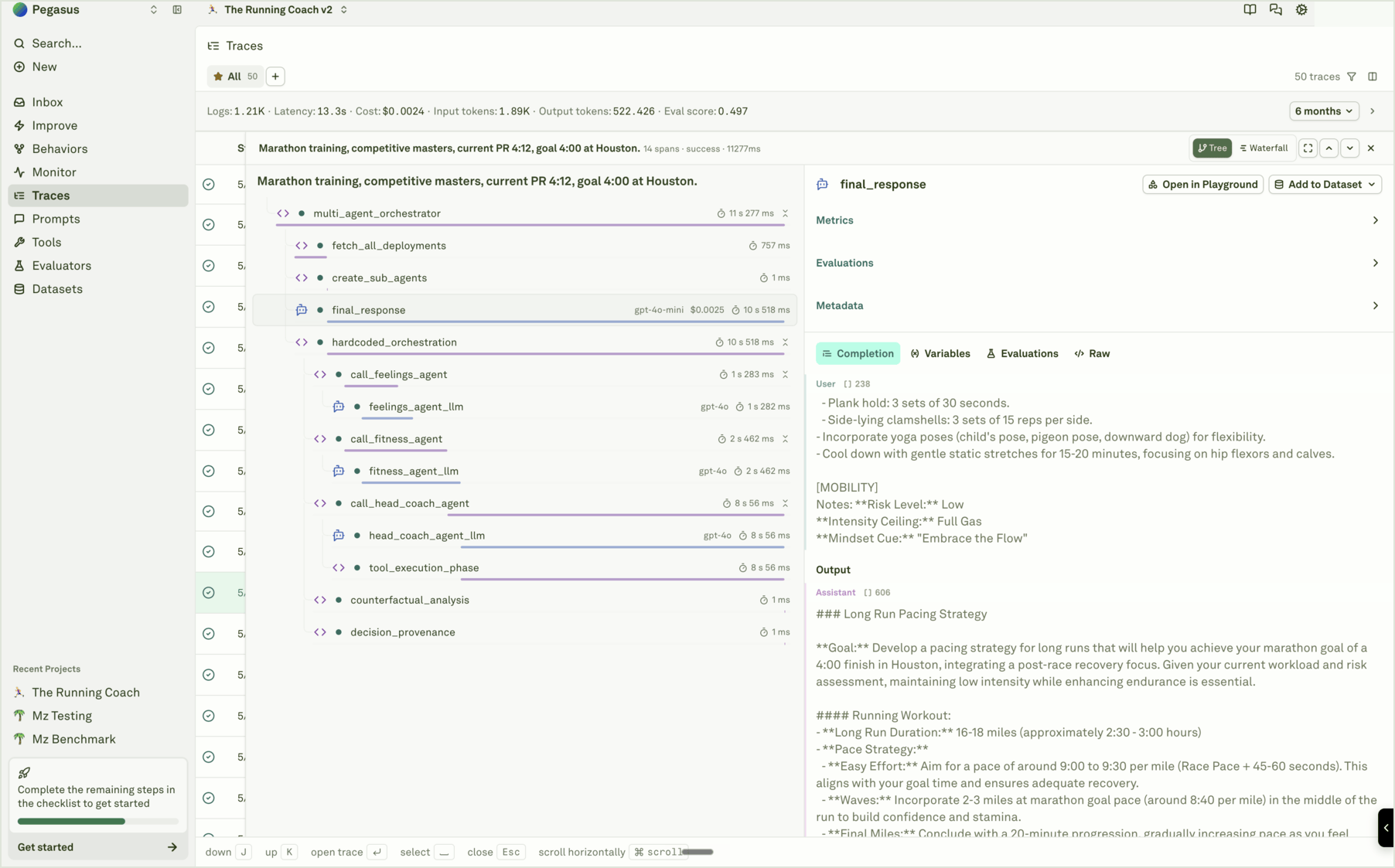
- Open in Playground when you want to reproduce the production call and inspect the prompt behavior.
- Add to Dataset when the case should become regression coverage.
- Review Evaluations when a score or reason explains the failure.
- Inspect Raw when an external system or deeper debugging needs exact payload evidence.
Decide the fix layer
Close the loop
A strong prompt-improvement workflow leaves durable artifacts:- Filter or inspect logs to find representative evidence.
- Add useful spans to datasets.
- Attach or refine evaluators that measure the failure mode.
- Run Improve against the attached prompt when the issue belongs in prompt behavior.
- Review the candidate, audit packet, datasets, generated evaluators, and runtime impact.
- Deploy through Adaline or your external release process.
- Watch Monitor after release to confirm quality, cost, latency, and Behavior movement.
Review a cycle
Inspect the evidence packet and candidate prompt changes.
Auto Generated Evaluators
Preserve production lessons as reusable checks.
Synthetic Datasets
Extend weak coverage from behavior evidence.
Auto Prompt optimization
Understand how prompt candidates are optimized from evidence.