

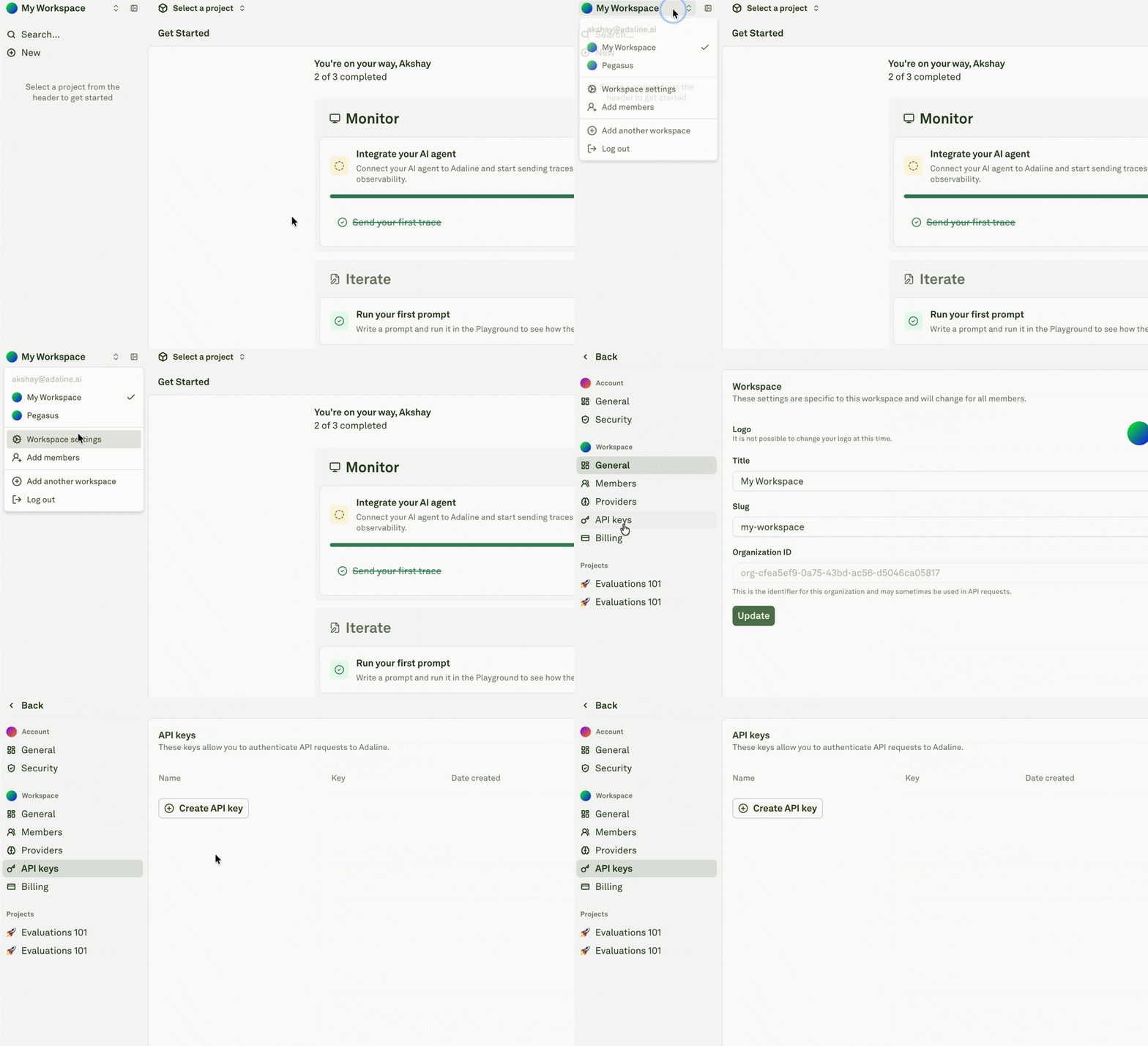
Create a key
1
Open workspace settings
Open the workspace menu, then go to Workspace settings.
2
Open API keys
Select API keys from the settings navigation.
3
Create a key
Click Create API key and give the key a name that describes the application, service, or automation that will use it.
4
Copy the key
Copy the key immediately and store it in your secret manager. Adaline does not show the full key again after creation.
Use a key in the SDK
Use a key in API requests
Key hygiene
- Use one key per application or automation.
- Rotate keys when people leave a project or a secret may have been exposed.
- Delete unused keys.
- Keep production and development keys separate.
- Review key ownership and rotate keys when the service, environment, or owner changes.