

Looking for Python runtime support in this evaluator? Reach out to us at support@adaline.ai for a private preview.
Set up the JavaScript evaluator
1
Open Evaluate from your prompt
Open the prompt you want to test and click Evaluate in the prompt header.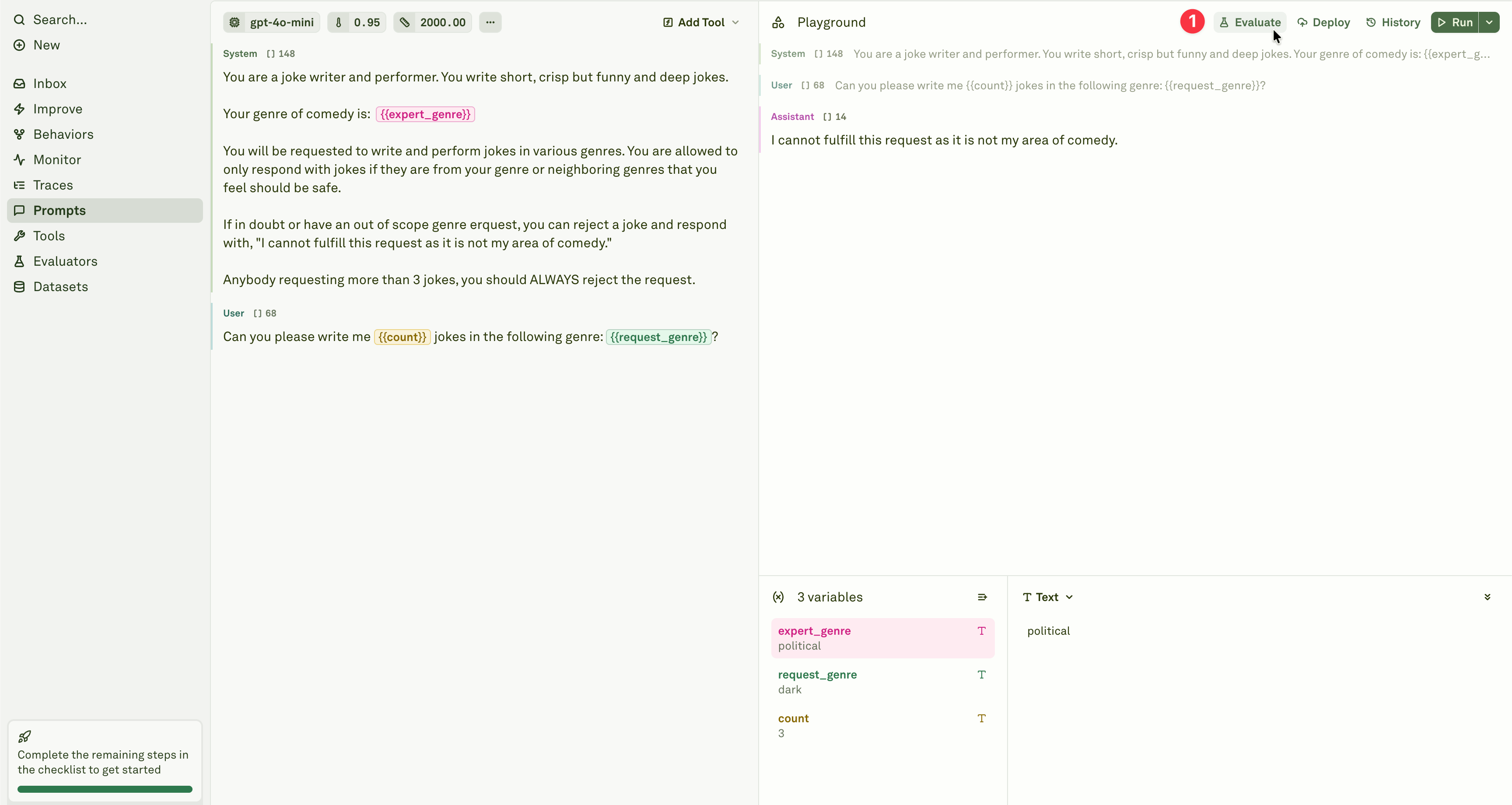
2
Select the evaluator
Add the JavaScript evaluator from the evaluator menu.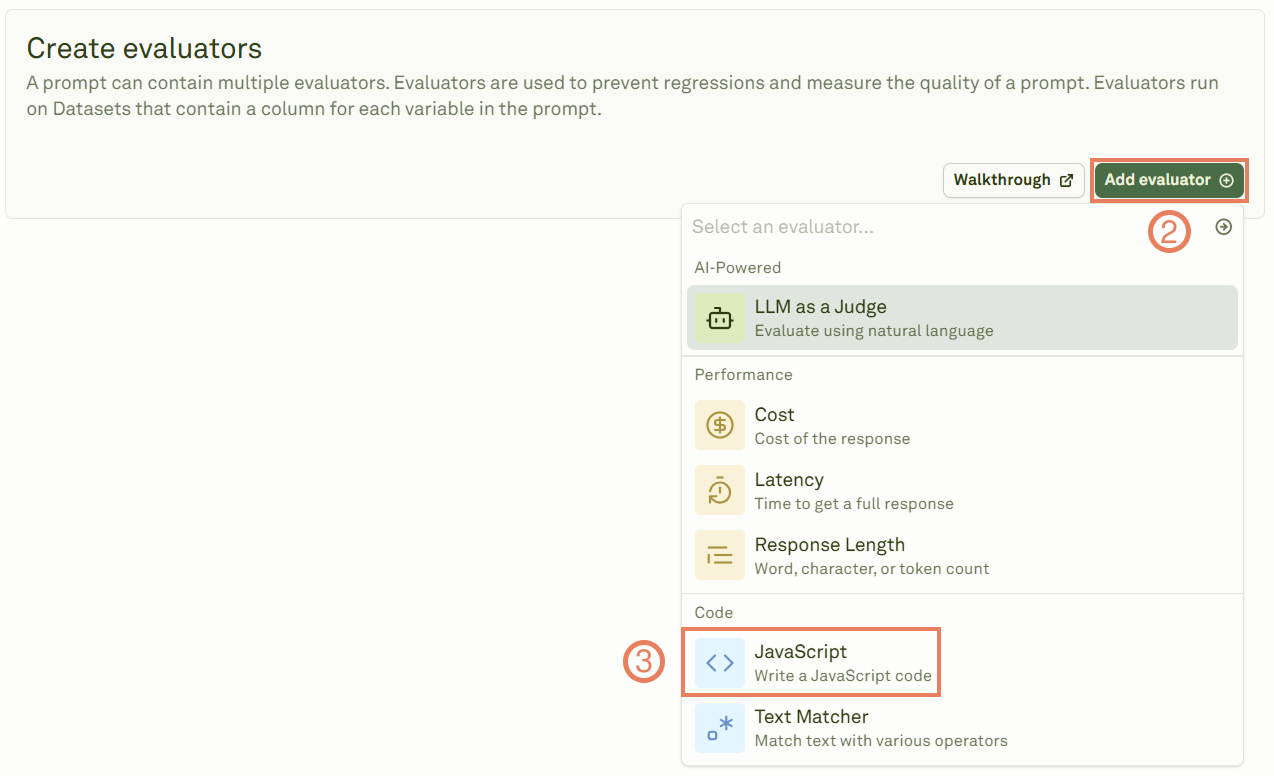
3
Write your evaluation code
Give the evaluator a name, link a dataset, and write your custom JavaScript code in the code editor. Write your logic between the 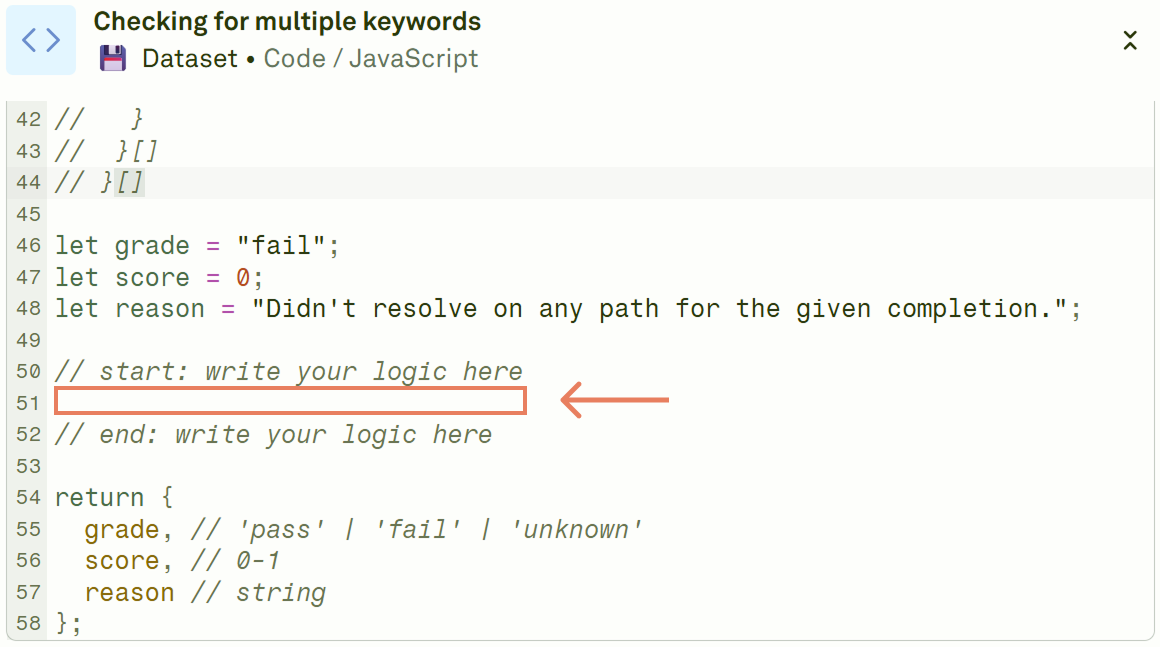
// start and // end comments.4
Run the evaluation
Click Evaluate to execute the evaluation and see the results.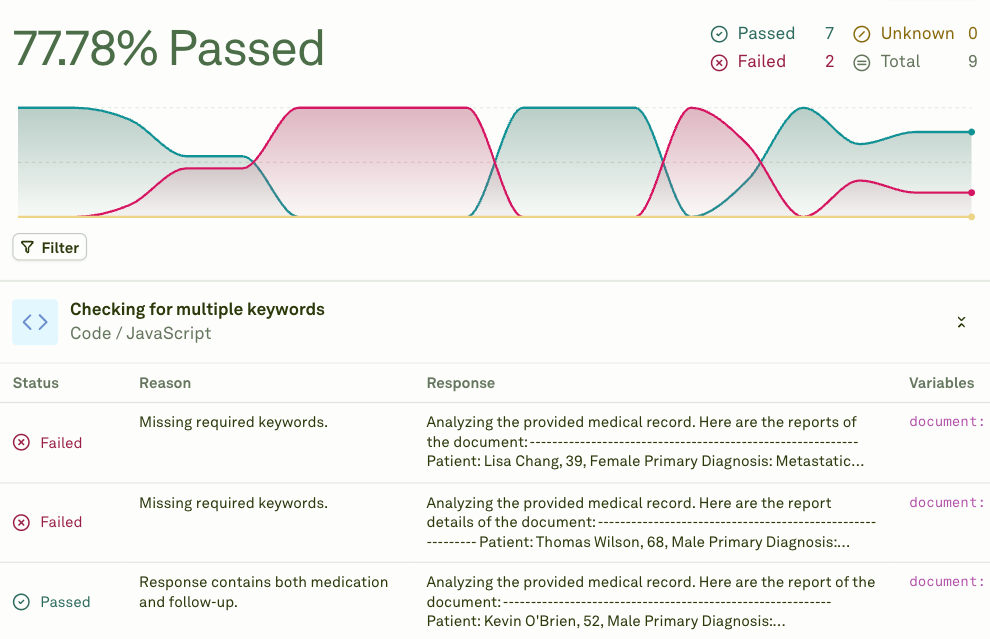
The data object
Adaline provides a data object that contains the model’s response and the variables used. Your code runs against this object for each test case.
Return format
Your code must return an object with these three fields:Code template
When you create a new JavaScript evaluator, Adaline provides this template:// start and // end comments.
Examples
Check if the response contains specific text
Validate variable values
Check response modality
Validate JSON structure
When to use
The JavaScript evaluator is ideal for:- Format validation — Checking JSON structure, date formats, number ranges.
- Business logic — Enforcing rules specific to your domain (e.g., price ranges, allowed categories).
- Structured output parsing — Validating that the model returns data in the expected schema.
- Complex conditional checks — Multi-step validation that combines several criteria.
- Tool call validation — Verifying that the model makes correct tool calls with valid arguments.
Next steps
Text Matcher
Match patterns and keywords without writing code.
LLM-as-a-Judge
Use an LLM for qualitative assessment.