

Set up LLM-as-a-Judge
1
Open Evaluate from your prompt
Open the prompt you want to test and click Evaluate in the prompt header.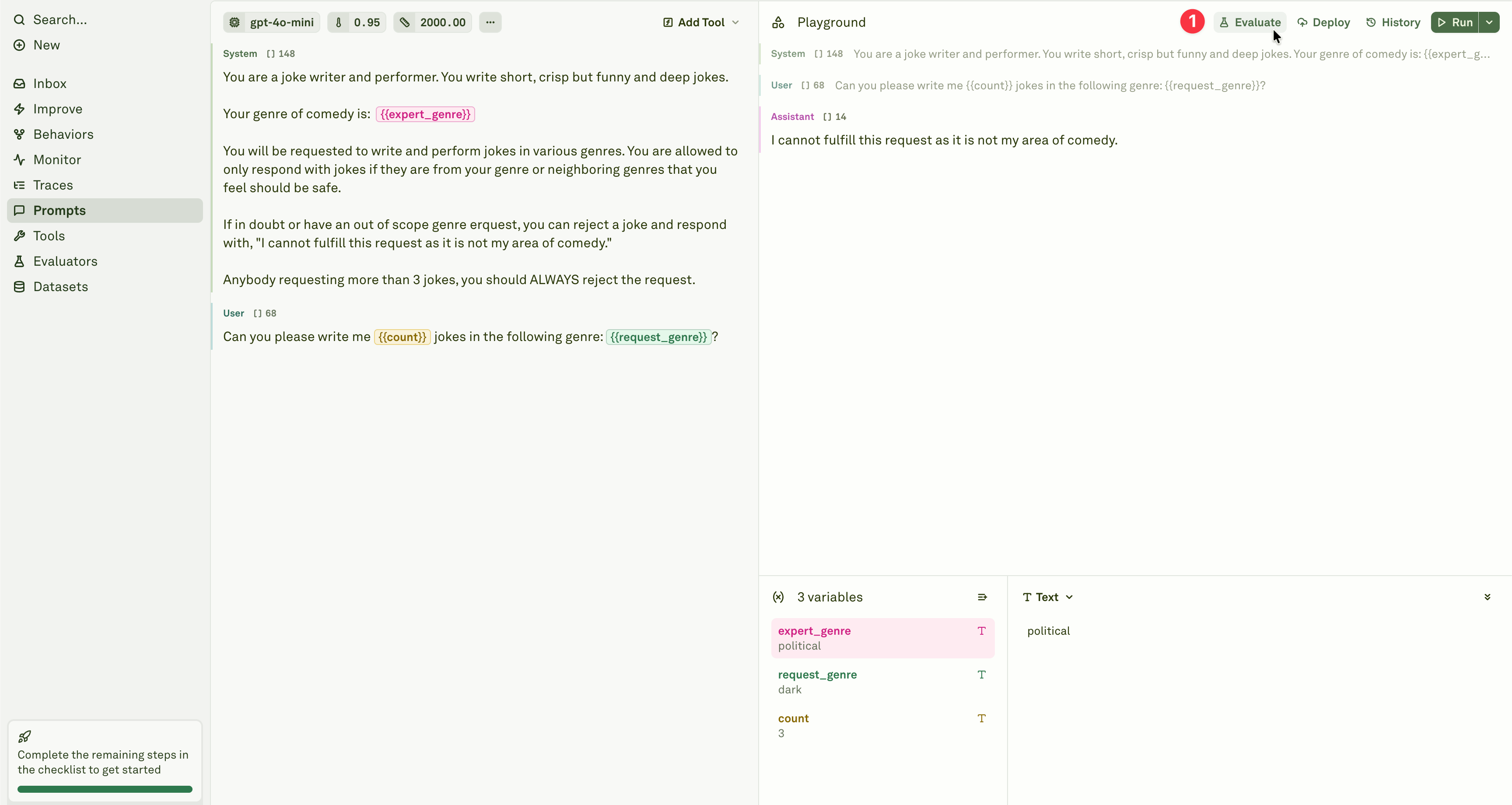
2
Select the evaluator
Add the LLM-as-a-Judge evaluator from the evaluator menu.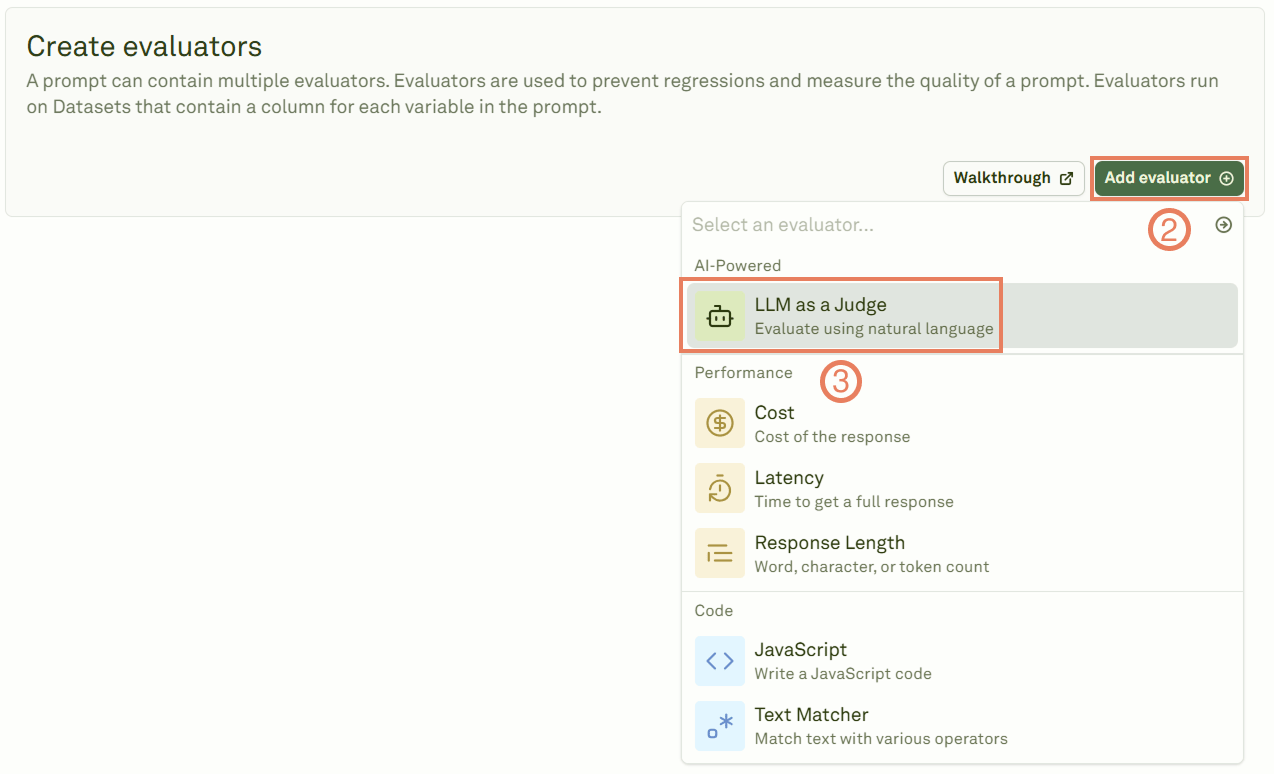
3
Link a dataset
Give a name to the evaluator and link a dataset containing your test cases.
4
Define your rubric
Write the rubric that defines your evaluation criteria. A well-crafted rubric is the key to high-quality evaluations — it should be specific, actionable, and aligned with your success metrics.
5
Run the evaluation
Click Evaluate to execute the evaluation and see the results.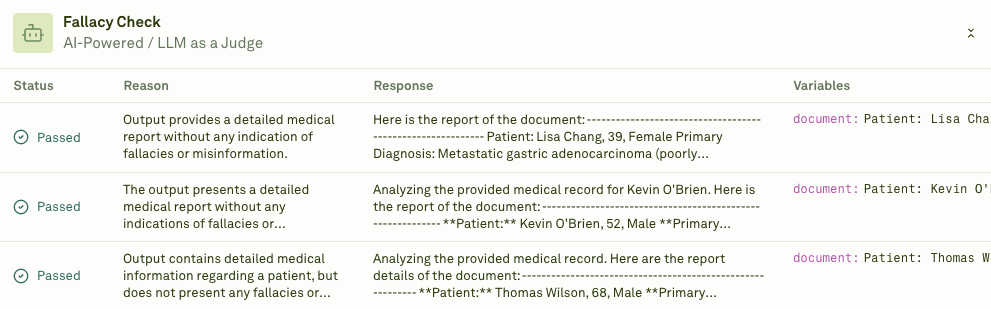
Writing effective rubrics
Your rubric directly determines the quality of the evaluation. Follow these guidelines:- Be specific — Define clear criteria for each score level. Avoid vague terms like “good” or “bad” without context.
- Be actionable — Include concrete examples of what constitutes each rating.
- Align with goals — Match your rubric to your actual production success metrics.
- Use a consistent scale — Define a numerical scale (e.g., 1–4 or 1–5) with clear definitions for each level.
Example rubrics
Customer support response quality
Content marketing effectiveness
Technical documentation quality
Brand voice consistency
When to use
LLM-as-a-Judge is best suited for:- Response quality assessment — Evaluating helpfulness, accuracy, and completeness.
- Tone and voice validation — Ensuring consistent brand voice and appropriate communication style.
- Factual accuracy checking — Verifying that responses contain correct information.
- User satisfaction prediction — Assessing whether responses would meet user expectations.
- Multi-turn conversation quality — Evaluating context retention and coherence across chat turns.
Next steps
JavaScript Evaluator
Write custom code to validate structured outputs.
Analyze Reports
Review LLM-as-a-Judge results in detail.