> ## Documentation Index
> Fetch the complete documentation index at: https://www.adaline.ai/docs/llms.txt
> Use this file to discover all available pages before exploring further.
# Overview
> Use tools to let prompts call functions, APIs, services, and MCP servers
Tools let a prompt ask for structured work outside the model: call an API, query a service, use retrieval, run an application function, or connect through MCP.
Use tools when the model should not guess. A good tool definition gives the model a clear name, a narrow description, and a parameter schema it can fill reliably.
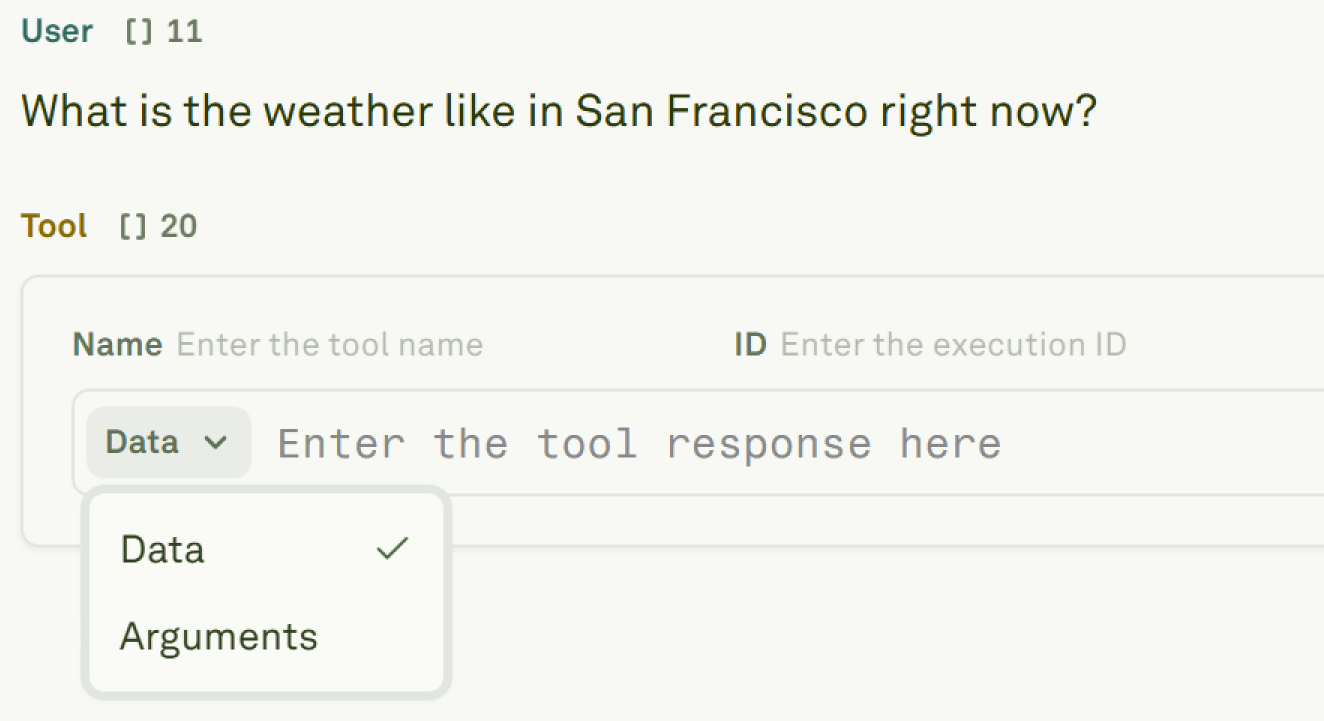 ## What A Tool Defines
| Part | Why it matters |
| ------------------ | ------------------------------------------------------------------------ |
| **Name** | The action the model can choose, such as `get_weather` or `search_docs`. |
| **Description** | The decision boundary for when the model should use the tool. |
| **Parameters** | The structured inputs the model must provide. |
| **Execution** | Optional HTTP request configuration for automatic Playground tool calls. |
| **Response shape** | The data the model receives before it continues the conversation. |
The schema is part of the prompt contract. If the tool is vague, too broad, or missing required parameters, the model will usually make worse decisions.
## How To Use Tools
Add a tool to the prompt, or reuse an existing tool from the project.
Choose whether the model can call tools automatically, must call one, or should avoid tools for a run.
Run the prompt and inspect the tool call arguments, tool response, and final model answer.
Use Monitor to inspect tool-call spans, latency, failures, and bad arguments from production traffic.
## Tool Options
| Option | Use it when |
| ------------------------- | ------------------------------------------------------------------------------- |
| **Manual tool responses** | You want to test how the model reacts before connecting a backend. |
| **Auto tool calls** | The tool has an HTTP backend Adaline can call during Playground runs. |
| **API variables** | You only need to fetch data into a prompt variable, not expose a callable tool. |
| **MCP servers** | You want to connect to a server that exposes standardized tools. |
Tools and API variables are related but different. API variables fetch context before the prompt runs. Tools let the model decide during the run that it needs an external action or piece of data.
## What To Check
When a tool-enabled prompt behaves poorly, start with the evidence:
* Did the model choose the right tool?
* Did it send the right arguments?
* Did the backend return the expected response?
* Did the prompt use the tool response correctly?
* Did tool latency or errors affect the final answer?
If the problem is the decision to call the tool, improve the prompt or tool description. If the problem is arguments or schema, tighten the tool definition. If the tool response is wrong or slow, debug the backend.
## Next Steps
Define tool schemas and attach tools to prompts.
Test manual and automatic tool-call flows.
Connect prompts to remote MCP tools.
Inspect tool-call spans, arguments, responses, and timing.
## What A Tool Defines
| Part | Why it matters |
| ------------------ | ------------------------------------------------------------------------ |
| **Name** | The action the model can choose, such as `get_weather` or `search_docs`. |
| **Description** | The decision boundary for when the model should use the tool. |
| **Parameters** | The structured inputs the model must provide. |
| **Execution** | Optional HTTP request configuration for automatic Playground tool calls. |
| **Response shape** | The data the model receives before it continues the conversation. |
The schema is part of the prompt contract. If the tool is vague, too broad, or missing required parameters, the model will usually make worse decisions.
## How To Use Tools
Add a tool to the prompt, or reuse an existing tool from the project.
Choose whether the model can call tools automatically, must call one, or should avoid tools for a run.
Run the prompt and inspect the tool call arguments, tool response, and final model answer.
Use Monitor to inspect tool-call spans, latency, failures, and bad arguments from production traffic.
## Tool Options
| Option | Use it when |
| ------------------------- | ------------------------------------------------------------------------------- |
| **Manual tool responses** | You want to test how the model reacts before connecting a backend. |
| **Auto tool calls** | The tool has an HTTP backend Adaline can call during Playground runs. |
| **API variables** | You only need to fetch data into a prompt variable, not expose a callable tool. |
| **MCP servers** | You want to connect to a server that exposes standardized tools. |
Tools and API variables are related but different. API variables fetch context before the prompt runs. Tools let the model decide during the run that it needs an external action or piece of data.
## What To Check
When a tool-enabled prompt behaves poorly, start with the evidence:
* Did the model choose the right tool?
* Did it send the right arguments?
* Did the backend return the expected response?
* Did the prompt use the tool response correctly?
* Did tool latency or errors affect the final answer?
If the problem is the decision to call the tool, improve the prompt or tool description. If the problem is arguments or schema, tighten the tool definition. If the tool response is wrong or slow, debug the backend.
## Next Steps
Define tool schemas and attach tools to prompts.
Test manual and automatic tool-call flows.
Connect prompts to remote MCP tools.
Inspect tool-call spans, arguments, responses, and timing.