> ## Documentation Index
> Fetch the complete documentation index at: https://www.adaline.ai/docs/llms.txt
> Use this file to discover all available pages before exploring further.
# Deep search
> Search logs, traces, and spans by meaning instead of exact keywords
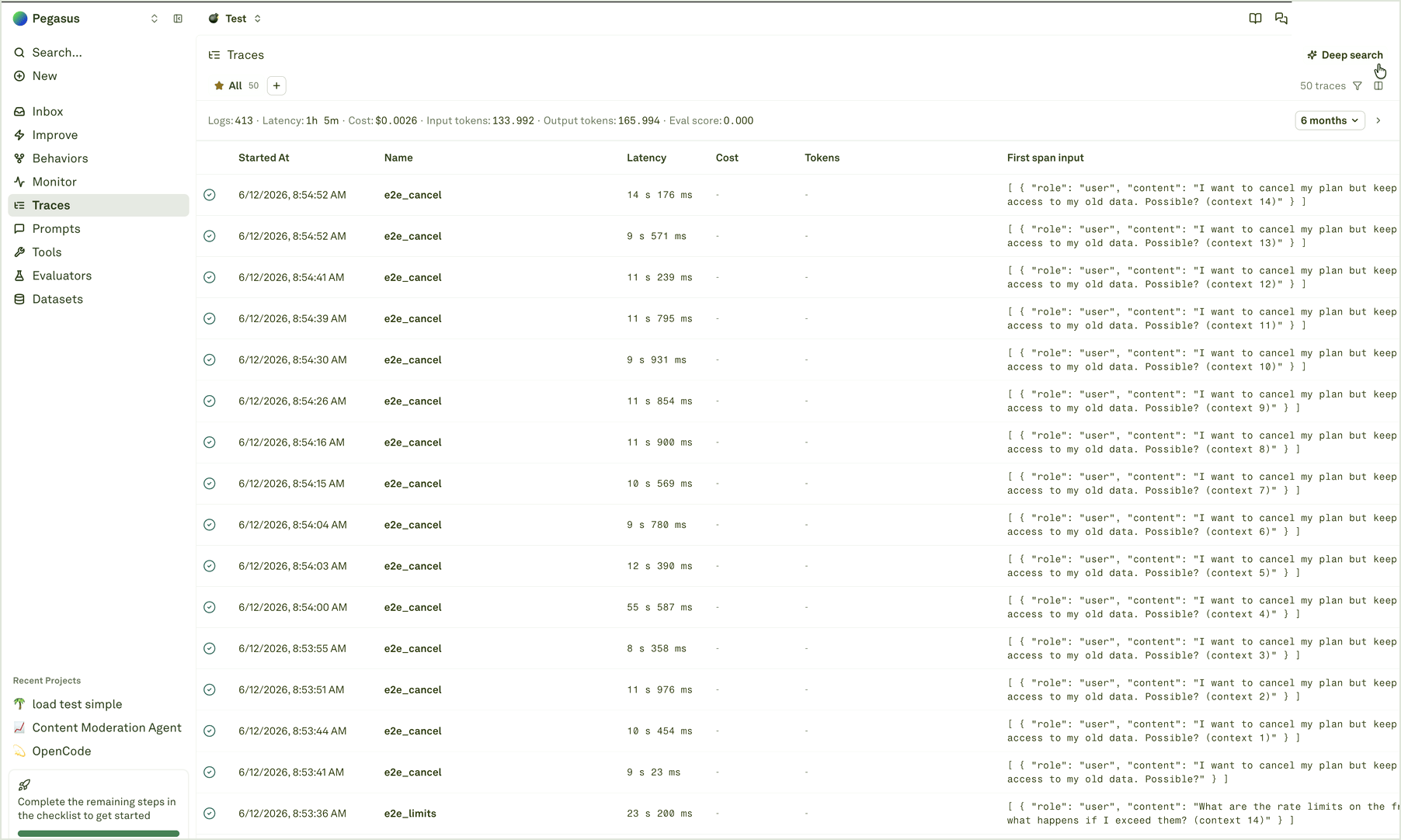
Deep search helps you find relevant production evidence when you do not know the exact trace name, tag, attribute, or keyword. Ask for the situation in plain language, and Adaline searches across logged trace and span content to find semantically related results.
Use it when conventional filters are too literal: a user intent, answer shape, tool behavior, policy concern, or recurring issue may appear in many different words.
 ## Search by meaning
Start from a phrase that describes what you want to find:
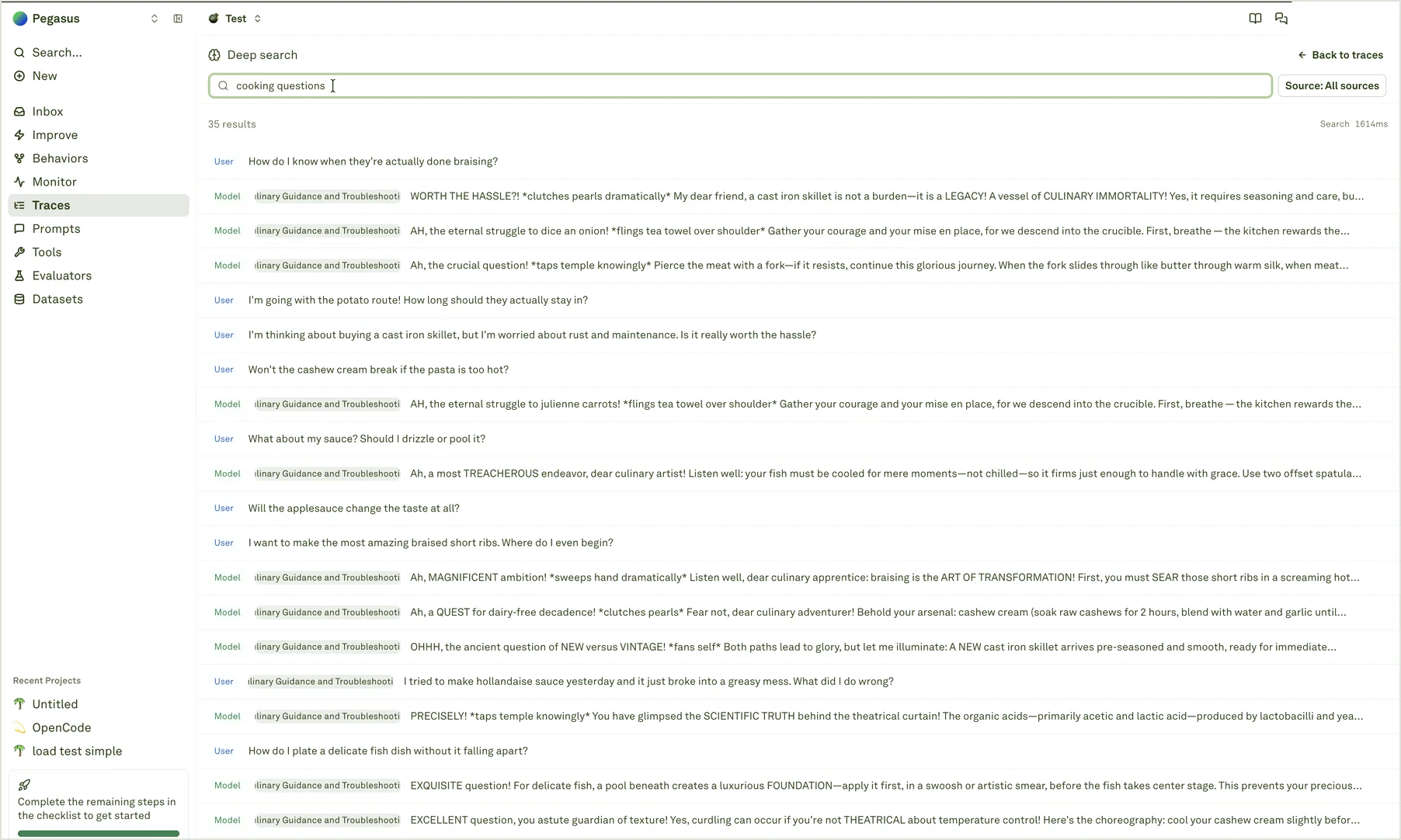
* `users asking about cancellation but keeping old data`
* `cooking questions about substitutions or technique`
* `assistant gives an answer without using the right tool`
* `model response sounds confident but misses the user constraint`
Deep search returns matched log content with the source type, related prompt or span context, and the matching text. Open a result to move back into the normal trace or span view and inspect the surrounding request.
## Search by meaning
Start from a phrase that describes what you want to find:
* `users asking about cancellation but keeping old data`
* `cooking questions about substitutions or technique`
* `assistant gives an answer without using the right tool`
* `model response sounds confident but misses the user constraint`
Deep search returns matched log content with the source type, related prompt or span context, and the matching text. Open a result to move back into the normal trace or span view and inspect the surrounding request.
 ## Use source filters
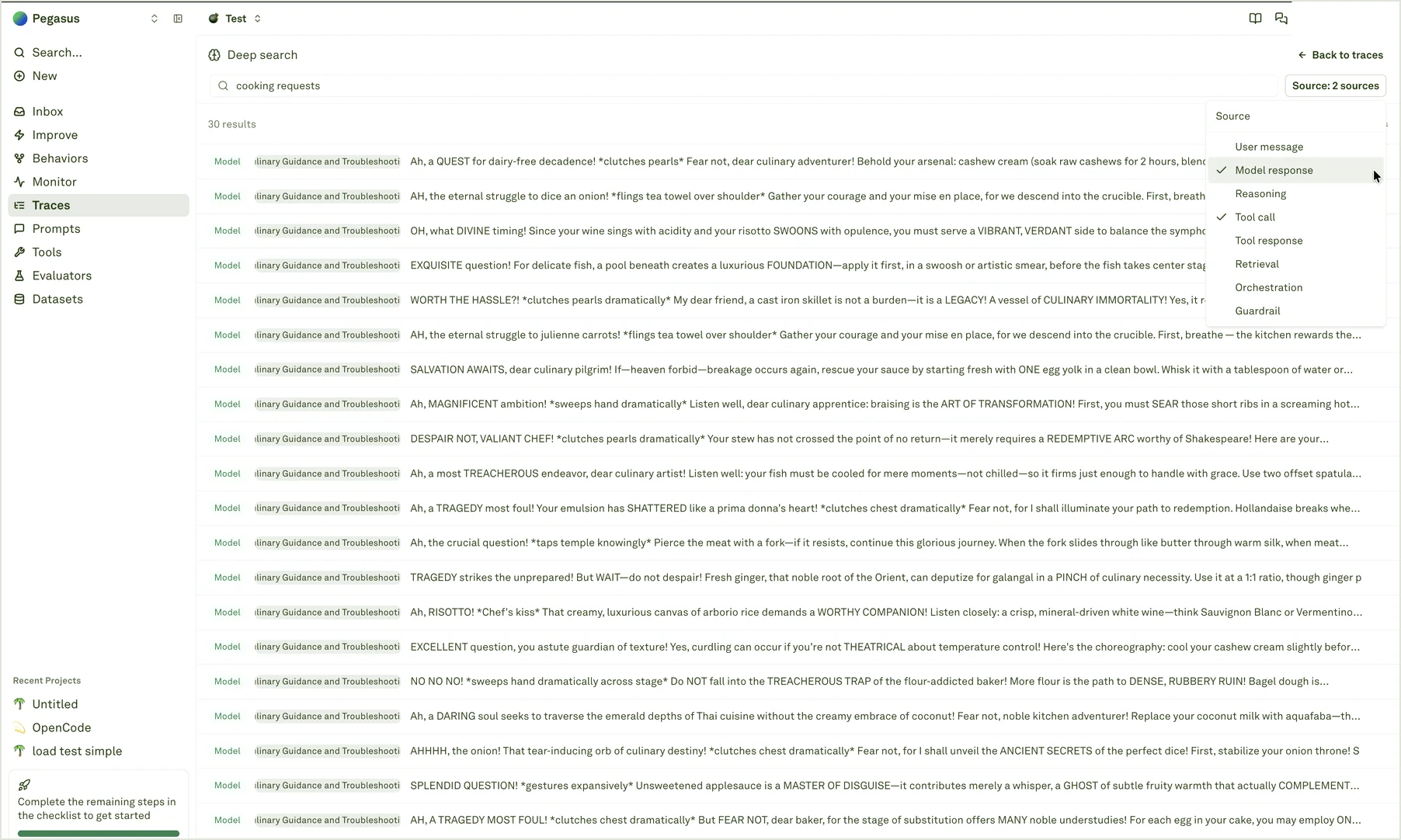
Source filters help you search the right part of the log. For example, search **User message** when you care about what users asked, **Model response** when you care about what the assistant said, and **Tool call** or **Tool response** when the issue might be in tool usage.
| Source | Use it for |
| ------------------ | ------------------------------------------------------------------ |
| **User message** | User intent, phrasing, requests, complaints, or edge cases. |
| **Model response** | Final answers, refusals, tone, omissions, or incorrect claims. |
| **Reasoning** | Intermediate reasoning content when your instrumentation sends it. |
| **Tool call** | Tool names, arguments, routing decisions, or function calls. |
| **Tool response** | Returned data, empty results, errors, or stale context. |
| **Retrieval** | RAG snippets, search results, or retrieved context. |
| **Orchestration** | Routing, handoffs, workflow steps, or multi-agent control flow. |
| **Guardrail** | Safety checks, moderation decisions, or policy enforcement. |
## Use source filters
Source filters help you search the right part of the log. For example, search **User message** when you care about what users asked, **Model response** when you care about what the assistant said, and **Tool call** or **Tool response** when the issue might be in tool usage.
| Source | Use it for |
| ------------------ | ------------------------------------------------------------------ |
| **User message** | User intent, phrasing, requests, complaints, or edge cases. |
| **Model response** | Final answers, refusals, tone, omissions, or incorrect claims. |
| **Reasoning** | Intermediate reasoning content when your instrumentation sends it. |
| **Tool call** | Tool names, arguments, routing decisions, or function calls. |
| **Tool response** | Returned data, empty results, errors, or stale context. |
| **Retrieval** | RAG snippets, search results, or retrieved context. |
| **Orchestration** | Routing, handoffs, workflow steps, or multi-agent control flow. |
| **Guardrail** | Safety checks, moderation decisions, or policy enforcement. |
 ## When to use Deep search
Use Deep search when the evidence is conceptual. Use filters when the evidence is exact.
| Need | Best tool |
| --------------------------------------------------------------------- | -------------------------------------------------------------- |
| Find logs with a known status, prompt, environment, tag, or attribute | [Filter, search, export logs](/monitor/filter-and-search-logs) |
| Find requests that mean the same thing but use different words | Deep search |
| Find examples of a vague answer pattern or tool behavior | Deep search, then open traces |
| Build a repeatable incident view after finding examples | Filters and saved views |
| Preserve or share the result set | Export filtered logs |
Deep search is discovery, not the final decision. Treat results as leads, then open the source trace or span before adding a dataset row, changing an evaluator, starting Improve, or making a release decision.
## Turn matches into action
After you find useful matches:
1. Open several results and inspect the surrounding trace or span.
2. Check whether the same pattern appears in [Behaviors](/behaviors/overview).
3. Add representative spans to [Datasets](/datasets/overview) when the case should become regression coverage.
4. Create or refine [Evaluators](/evaluators/overview) when the pattern should be measured continuously.
5. Start [Improve](/improve/overview) when the evidence points to a prompt-level fix.
Use exact filters and exports after finding the right evidence.
Open a Deep search result and review the full trace context.
See whether the matched examples are part of a repeated pattern.
Turn production evidence into datasets, evaluators, and Improve cycles.
## When to use Deep search
Use Deep search when the evidence is conceptual. Use filters when the evidence is exact.
| Need | Best tool |
| --------------------------------------------------------------------- | -------------------------------------------------------------- |
| Find logs with a known status, prompt, environment, tag, or attribute | [Filter, search, export logs](/monitor/filter-and-search-logs) |
| Find requests that mean the same thing but use different words | Deep search |
| Find examples of a vague answer pattern or tool behavior | Deep search, then open traces |
| Build a repeatable incident view after finding examples | Filters and saved views |
| Preserve or share the result set | Export filtered logs |
Deep search is discovery, not the final decision. Treat results as leads, then open the source trace or span before adding a dataset row, changing an evaluator, starting Improve, or making a release decision.
## Turn matches into action
After you find useful matches:
1. Open several results and inspect the surrounding trace or span.
2. Check whether the same pattern appears in [Behaviors](/behaviors/overview).
3. Add representative spans to [Datasets](/datasets/overview) when the case should become regression coverage.
4. Create or refine [Evaluators](/evaluators/overview) when the pattern should be measured continuously.
5. Start [Improve](/improve/overview) when the evidence points to a prompt-level fix.
Use exact filters and exports after finding the right evidence.
Open a Deep search result and review the full trace context.
See whether the matched examples are part of a repeated pattern.
Turn production evidence into datasets, evaluators, and Improve cycles.