> ## Documentation Index
> Fetch the complete documentation index at: https://www.adaline.ai/docs/llms.txt
> Use this file to discover all available pages before exploring further.
# Analyze log spans
> Inspect model calls, tool calls, functions, retrieval, and custom steps inside a trace
Spans are the steps inside a trace. A span can represent a model call, tool call, function, retrieval step, orchestration step, guardrail, or custom operation. Inspect spans when the trace-level summary is not enough.
 ## Where spans live
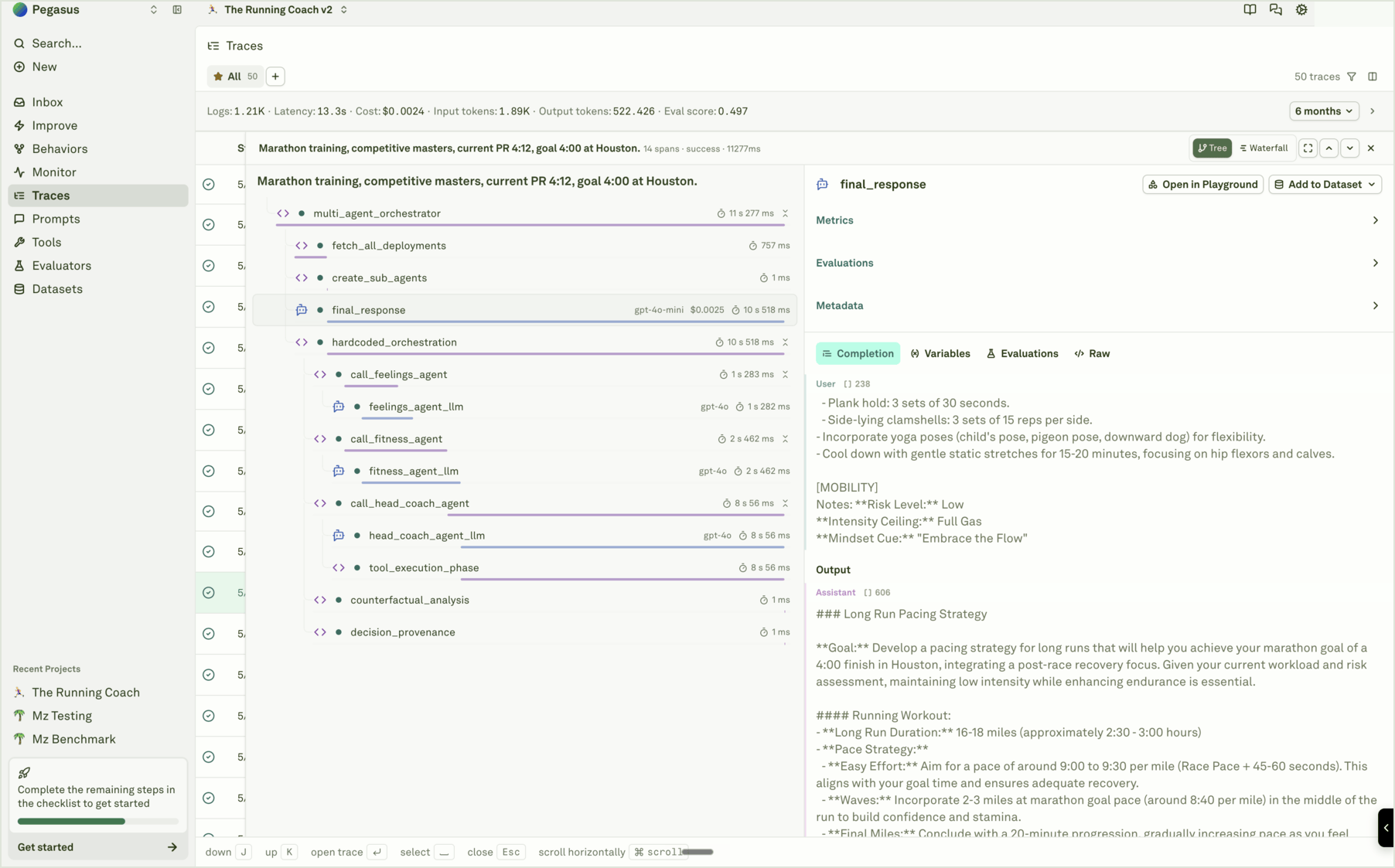
Span review now happens inside the trace side sheet:
1. Open [Traces](/docs/monitor/analyze-log-traces) from the sidebar or from a Monitor chart.
2. Select a trace row.
3. Choose **Tree** or **Waterfall** mode.
4. Select the span you want to inspect.
The selected span drives the details panel on the right.
## What to inspect
Depending on the span type, the detail panel can include:
| Detail | Why it matters |
| --------------- | -------------------------------------------------------------------- |
| **Metrics** | Duration, status, token usage, and cost. |
| **Completion** | Model input and output content for model spans. |
| **Variables** | Runtime variable values used by the prompt. |
| **Evaluations** | Continuous evaluation results attached to the span. |
| **Metadata** | Tags, attributes, IDs, provider/model details, and app context. |
| **Raw** | The structured payload Adaline stored for exact debugging or export. |
Use span details to decide whether the issue is in the prompt, model, tool, retrieval layer, evaluator, instrumentation, or application code.
## Where spans live
Span review now happens inside the trace side sheet:
1. Open [Traces](/docs/monitor/analyze-log-traces) from the sidebar or from a Monitor chart.
2. Select a trace row.
3. Choose **Tree** or **Waterfall** mode.
4. Select the span you want to inspect.
The selected span drives the details panel on the right.
## What to inspect
Depending on the span type, the detail panel can include:
| Detail | Why it matters |
| --------------- | -------------------------------------------------------------------- |
| **Metrics** | Duration, status, token usage, and cost. |
| **Completion** | Model input and output content for model spans. |
| **Variables** | Runtime variable values used by the prompt. |
| **Evaluations** | Continuous evaluation results attached to the span. |
| **Metadata** | Tags, attributes, IDs, provider/model details, and app context. |
| **Raw** | The structured payload Adaline stored for exact debugging or export. |
Use span details to decide whether the issue is in the prompt, model, tool, retrieval layer, evaluator, instrumentation, or application code.
 ## Tree and waterfall
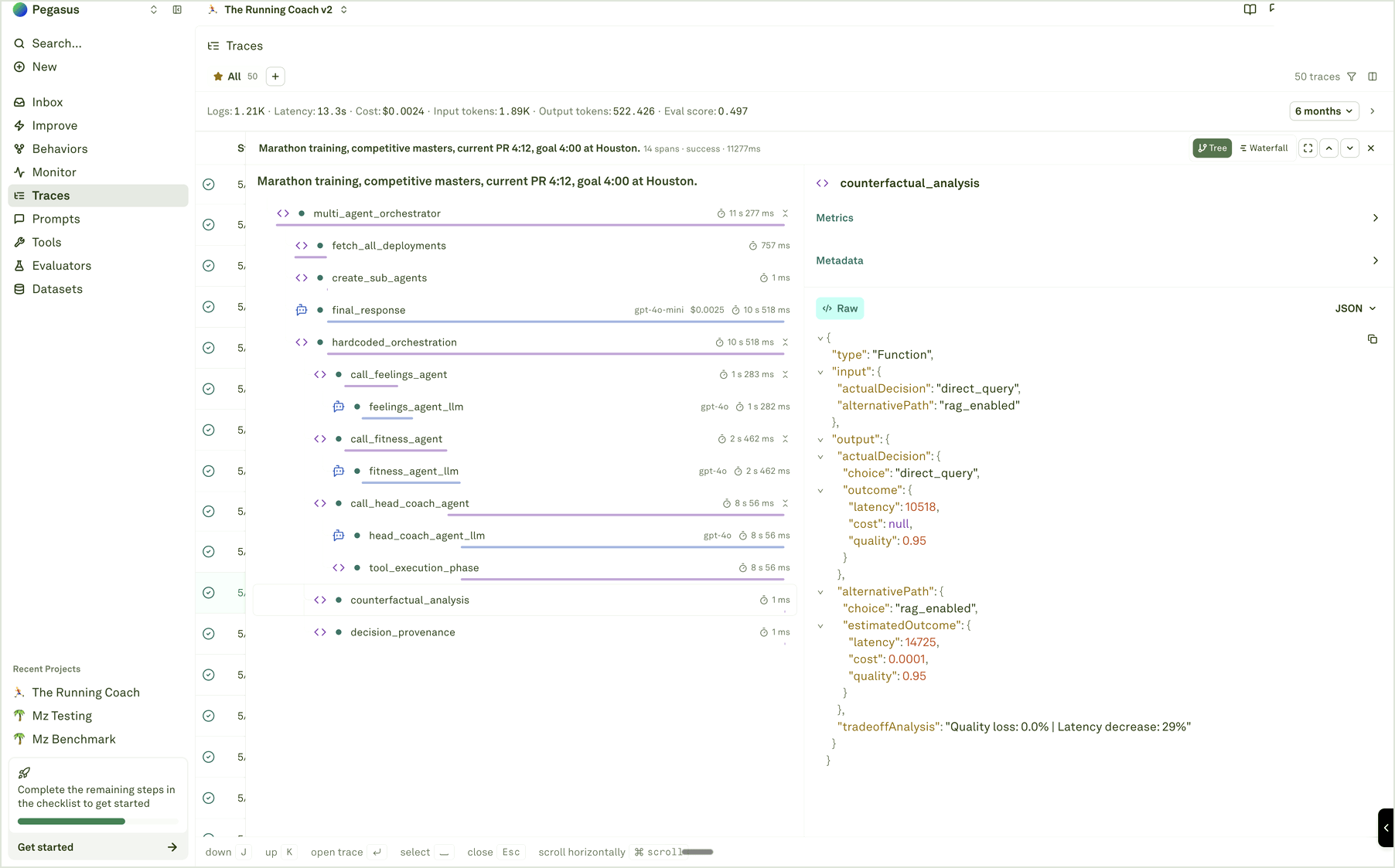
Tree view is best for structure. It shows parent-child relationships between orchestration, model calls, tools, functions, retrieval, and custom spans.
Waterfall view is best for timing. It shows where latency is spent and whether operations ran sequentially or in parallel.
## Tree and waterfall
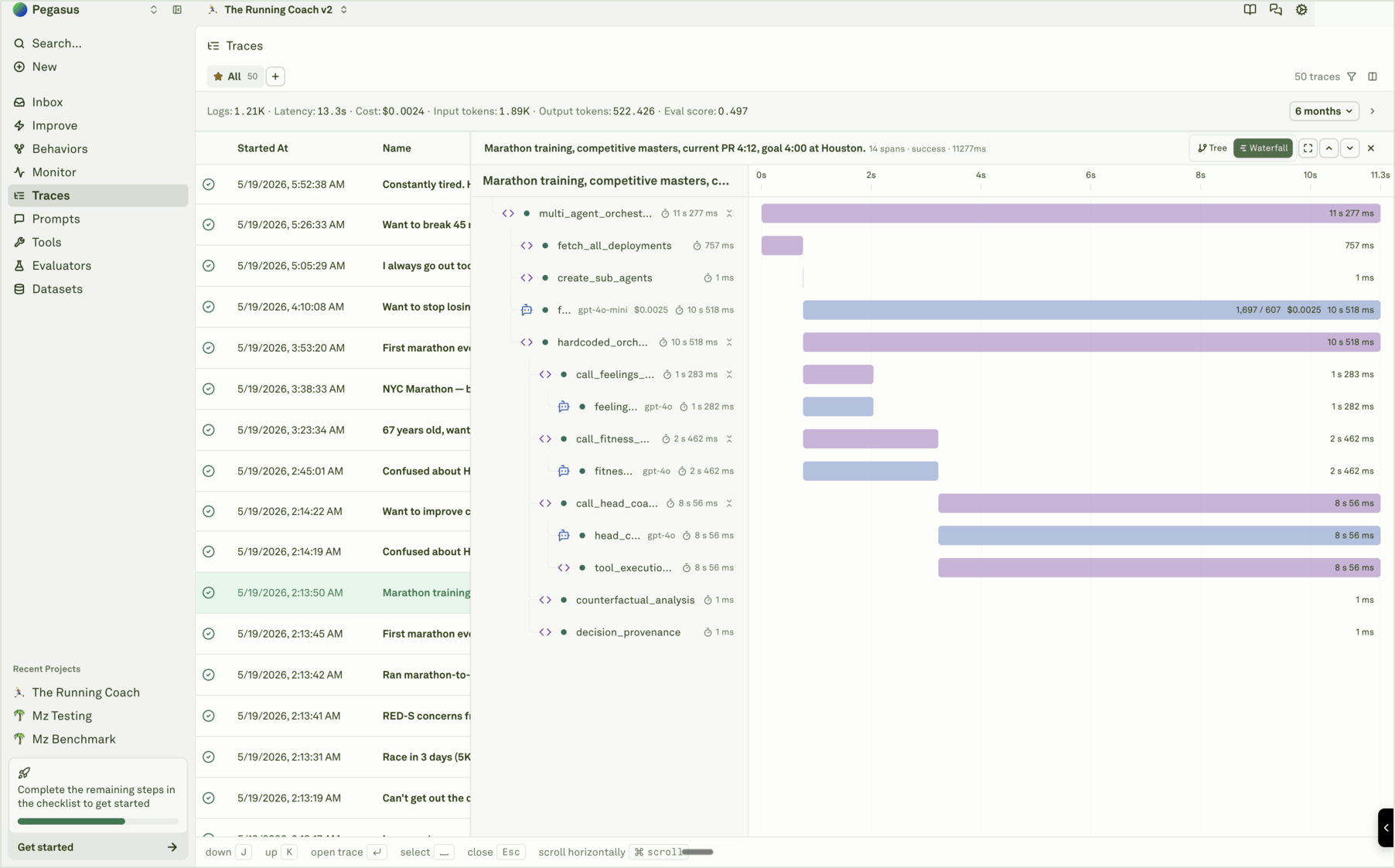
Tree view is best for structure. It shows parent-child relationships between orchestration, model calls, tools, functions, retrieval, and custom spans.
Waterfall view is best for timing. It shows where latency is spent and whether operations ran sequentially or in parallel.
 ## Actions from a span
For supported spans, the details panel can provide actions such as:
* **Open in Playground** to reproduce a model call with production inputs.
* **Add to Dataset** to preserve the case as regression or golden coverage.
* **Copy raw JSON** when a teammate or external system needs exact evidence.
Do not treat every span as a dataset row. Add spans when they teach the team something future releases should remember.
See the full trace viewer workflow.
Convert useful model spans into dataset rows.
Use span evidence to guide prompt improvement.
Attach evaluator results to production spans.
## Actions from a span
For supported spans, the details panel can provide actions such as:
* **Open in Playground** to reproduce a model call with production inputs.
* **Add to Dataset** to preserve the case as regression or golden coverage.
* **Copy raw JSON** when a teammate or external system needs exact evidence.
Do not treat every span as a dataset row. Add spans when they teach the team something future releases should remember.
See the full trace viewer workflow.
Convert useful model spans into dataset rows.
Use span evidence to guide prompt improvement.
Attach evaluator results to production spans.