> ## Documentation Index
> Fetch the complete documentation index at: https://www.adaline.ai/docs/llms.txt
> Use this file to discover all available pages before exploring further.
# Synthetic Datasets
> Use production traces, generated edge cases, and curated rows to give Improve useful validation coverage
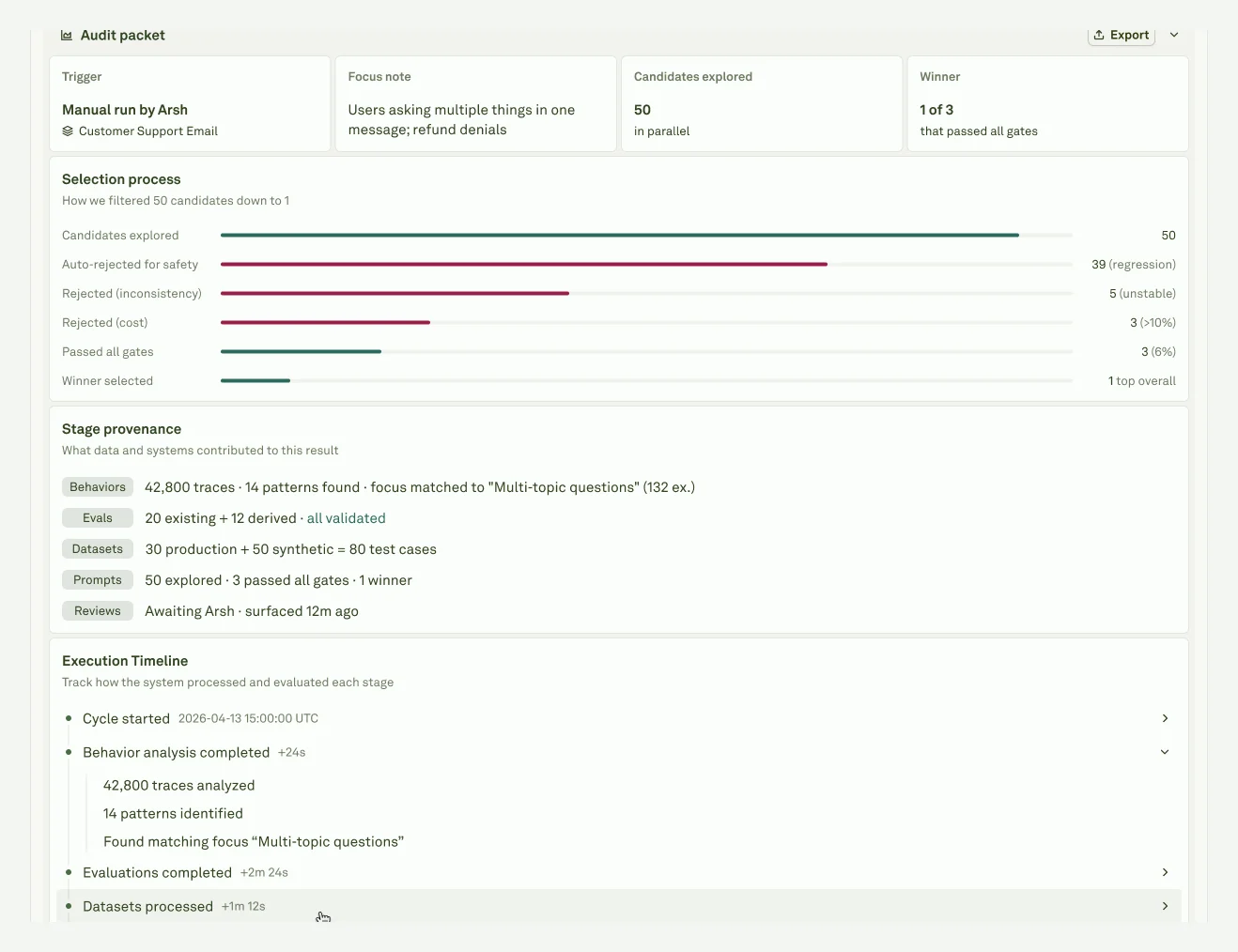
Synthetic Datasets are generated cases that expand coverage around production evidence. They help Improve compare the current prompt against candidates when real examples are sparse or when a release needs edge-case pressure.
Treat synthetic cases as evidence, not truth. They are release-grade only when the reviewer agrees they represent realistic user or agent behavior.
 ## Case sources
| Case source | Best use | Risk |
| -------------------------- | -------------------------------------------------------- | ---------------------------------------------- |
| **Production trace case** | Proving the candidate helps real traffic. | Messy context or customer-specific wording. |
| **Regression dataset row** | Preventing a known issue from returning. | Can become stale if expected behavior changes. |
| **Golden path row** | Protecting normal healthy workflows. | Easy cases can hide edge-case failures. |
| **Synthetic case** | Testing nearby variants before many real examples exist. | Can overrepresent hypothetical failures. |
## Where synthetic cases fit
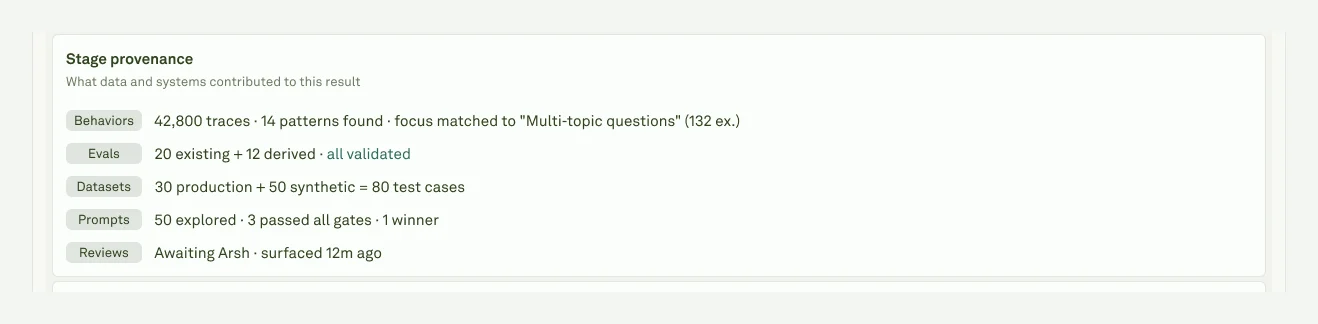
Synthetic cases appear in the **Datasets** stage of Improve. Adaline uses the prompt variables, evaluator criteria, and recent Behavior evidence to build a small test space around the problem being fixed. That test space is organized into dimensions: user intent, topic, difficulty, request shape, expected output, policy boundary, tool context, or any other axis that helps compare the current prompt against candidates.
Adaline then creates cases across a mix of strategies:
| Strategy | What it adds |
| ------------------------------ | --------------------------------------------------------------------------------------------------------------------------------------- |
| **Direct variants** | Normal examples that cover the main dimensions of the selected Behavior and prompt variables. |
| **Persona variants** | Examples shaped around different user profiles, expertise levels, communication styles, or expectations. |
| **Adversarial and edge cases** | Harder examples around boundary conditions, prompt-injection-like wording, format pressure, semantic ambiguity, or known failure modes. |
| **Evaluator-aligned cases** | Extra columns or expected outputs that help generated and authored evaluators score the candidate consistently. |
When production Behavior data is available, Adaline biases generation toward real patterns: broad and granular Behaviors, newly observed patterns, high-error Behaviors, rare requests, and representative snippets. It may generate more rows than needed first, then prune near-duplicates so the final dataset is more diverse and useful for scoring.
## Case sources
| Case source | Best use | Risk |
| -------------------------- | -------------------------------------------------------- | ---------------------------------------------- |
| **Production trace case** | Proving the candidate helps real traffic. | Messy context or customer-specific wording. |
| **Regression dataset row** | Preventing a known issue from returning. | Can become stale if expected behavior changes. |
| **Golden path row** | Protecting normal healthy workflows. | Easy cases can hide edge-case failures. |
| **Synthetic case** | Testing nearby variants before many real examples exist. | Can overrepresent hypothetical failures. |
## Where synthetic cases fit
Synthetic cases appear in the **Datasets** stage of Improve. Adaline uses the prompt variables, evaluator criteria, and recent Behavior evidence to build a small test space around the problem being fixed. That test space is organized into dimensions: user intent, topic, difficulty, request shape, expected output, policy boundary, tool context, or any other axis that helps compare the current prompt against candidates.
Adaline then creates cases across a mix of strategies:
| Strategy | What it adds |
| ------------------------------ | --------------------------------------------------------------------------------------------------------------------------------------- |
| **Direct variants** | Normal examples that cover the main dimensions of the selected Behavior and prompt variables. |
| **Persona variants** | Examples shaped around different user profiles, expertise levels, communication styles, or expectations. |
| **Adversarial and edge cases** | Harder examples around boundary conditions, prompt-injection-like wording, format pressure, semantic ambiguity, or known failure modes. |
| **Evaluator-aligned cases** | Extra columns or expected outputs that help generated and authored evaluators score the candidate consistently. |
When production Behavior data is available, Adaline biases generation toward real patterns: broad and granular Behaviors, newly observed patterns, high-error Behaviors, rare requests, and representative snippets. It may generate more rows than needed first, then prune near-duplicates so the final dataset is more diverse and useful for scoring.
 ## Review generated cases
Before trusting a synthetic case, make sure it is plausible for your product, has clear expected behavior, includes enough context to score fairly, and does not duplicate existing coverage or include private customer details. Good synthetic cases should protect healthy behavior as well as the target failure. If a case feels unrealistic or overfit, do not let it drive approval; keep only the examples that make future releases safer.
## Preserve useful cases
After the cycle, promote good examples into durable datasets:
| Outcome | Evidence to keep |
| ------------------ | ---------------------------------------------------------------------------------------- |
| **Approve** | Failing examples, generated variants, and criteria that proved the candidate worked. |
| **Edit & approve** | Examples that explain why the human edit was necessary. |
| **Reject** | Examples that show the candidate was unsafe, off-policy, too expensive, or under-tested. |
| **Failed cycle** | The missing-coverage lesson: no cases, no scores, noisy evaluator, or vague Behavior. |
Understand generated checks created from production evidence.
Turn useful cases into durable test coverage.
## Review generated cases
Before trusting a synthetic case, make sure it is plausible for your product, has clear expected behavior, includes enough context to score fairly, and does not duplicate existing coverage or include private customer details. Good synthetic cases should protect healthy behavior as well as the target failure. If a case feels unrealistic or overfit, do not let it drive approval; keep only the examples that make future releases safer.
## Preserve useful cases
After the cycle, promote good examples into durable datasets:
| Outcome | Evidence to keep |
| ------------------ | ---------------------------------------------------------------------------------------- |
| **Approve** | Failing examples, generated variants, and criteria that proved the candidate worked. |
| **Edit & approve** | Examples that explain why the human edit was necessary. |
| **Reject** | Examples that show the candidate was unsafe, off-policy, too expensive, or under-tested. |
| **Failed cycle** | The missing-coverage lesson: no cases, no scores, noisy evaluator, or vague Behavior. |
Understand generated checks created from production evidence.
Turn useful cases into durable test coverage.