> ## Documentation Index
> Fetch the complete documentation index at: https://www.adaline.ai/docs/llms.txt
> Use this file to discover all available pages before exploring further.
# Overview
> Run evidence-backed improvement cycles that turn production behavior into reviewed prompt versions
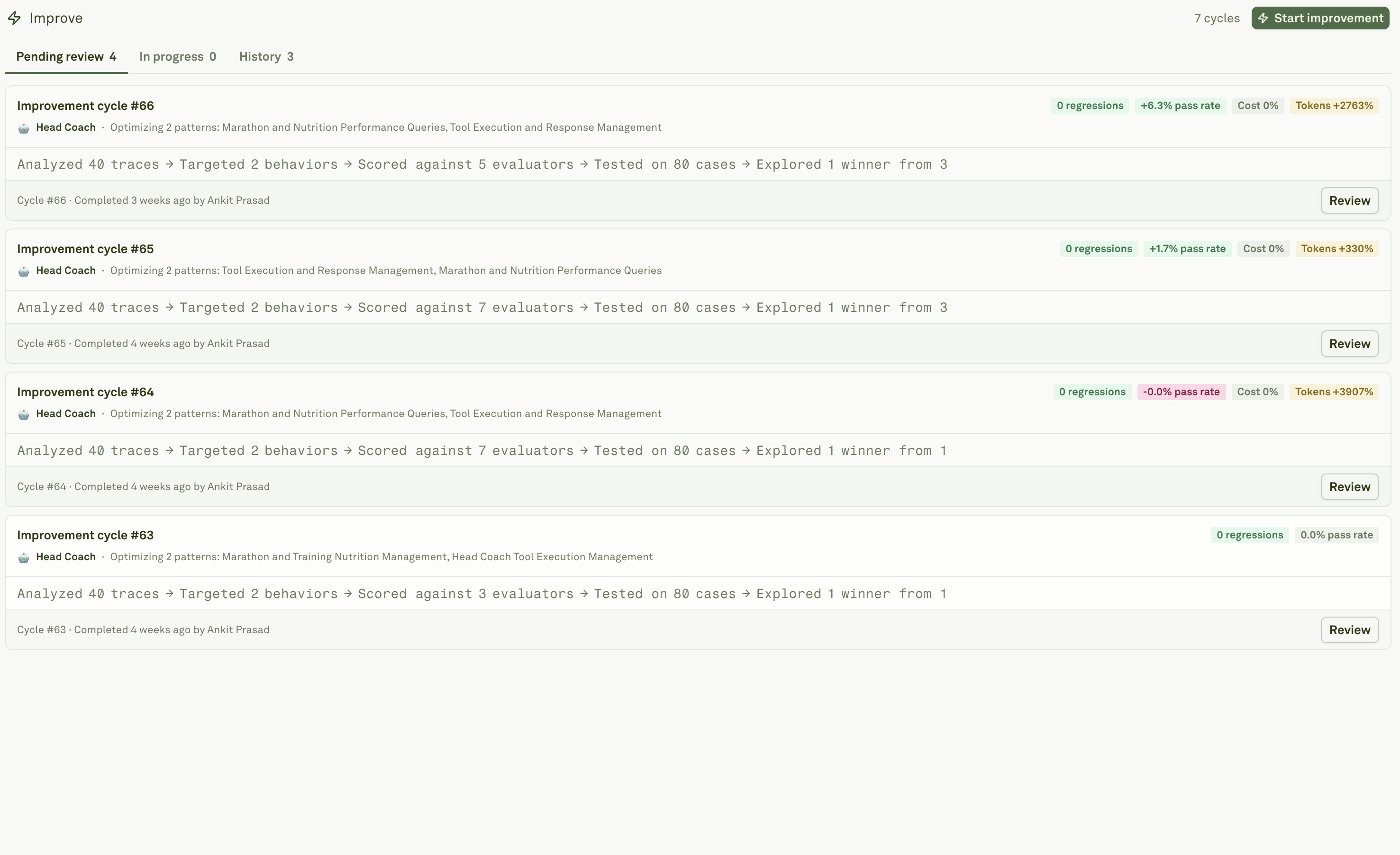
Improve is Adaline's reviewed prompt-improvement workflow. It turns production evidence into a proposed prompt version: Behaviors identify repeated patterns, Evaluators and Datasets score candidates, Auto Prompt Optimization explores prompt changes, and Review decides what ships.
Use Improve when the issue is prompt-addressable: instructions, examples, variables, model settings, response schemas, or tool-use guidance. If the root cause is stale retrieval, a broken tool, missing metadata, or a backend bug, fix that layer first.
To run an Improve cycle, Adaline primarily needs production logs, useful Behaviors, and a prompt stored in Adaline. Evaluators and datasets make the cycle stronger when you already have them, and Adaline can also generate draft evaluators and synthetic cases during the cycle.
Improve is not currently silent auto-deploy. Adaline generates the evidence packet and candidates; a human or external AI Agent can review the diagnosis, diff, regressions, release impact and can choose to deploy via Adaline or externally.
 ## What a cycle does
An Improve cycle is attached to one prompt in one project.
## What a cycle does
An Improve cycle is attached to one prompt in one project.
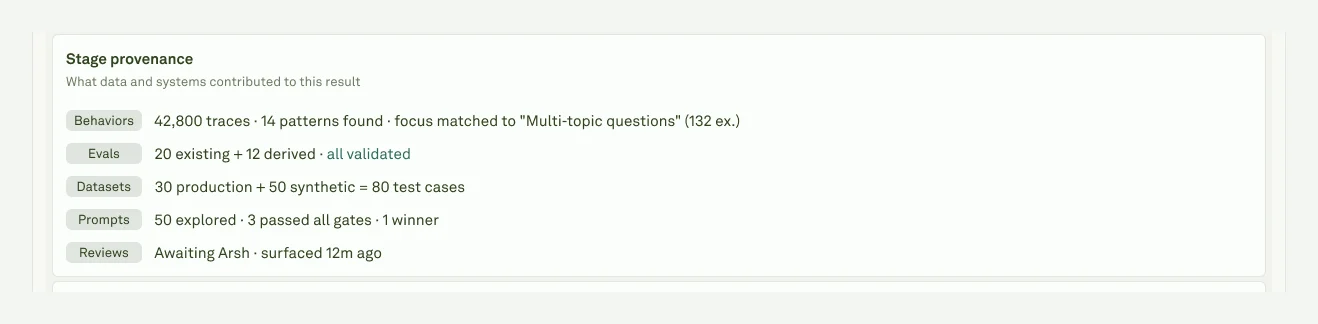 | Stage | What happens |
| ------------- | ------------------------------------------------------------------------------------------------------ |
| **Behaviors** | Selects the repeated pattern or issue the cycle should improve. |
| **Evals** | Uses authored and auto generated evaluators to score the baseline and candidates. |
| **Datasets** | Builds validation coverage from linked datasets, production cases, and generated edge cases. |
| **Prompts** | Explores candidate prompt snapshots and blocks unsafe or regressing options. |
| **Review** | Packages the selected candidate with diff, scores, examples, cost, tokens, latency, and final actions. |
The quality of a cycle depends on the quality of its input evidence. Specific Behaviors, representative logs with readable spans, a clear focus, and relevant evaluator or dataset coverage give Adaline better material to diagnose the issue and compare candidates. Weak or noisy evidence can still produce a candidate, but the review decision will be less confident.
The cycle should make the release decision easier: what changed, why it changed, what improved, what regressed, and where it will deploy.
Choose the prompt, focus, behaviors, thoroughness, and reviewers.
Inspect diagnosis, diffs, scores, traffic examples, and final actions.
Understand generated checks created from production evidence.
Use generated cases and production traces as validation coverage.
Understand candidate exploration, safety gates, and prompt diffs.
Understand the behavior evidence Improve can target.
| Stage | What happens |
| ------------- | ------------------------------------------------------------------------------------------------------ |
| **Behaviors** | Selects the repeated pattern or issue the cycle should improve. |
| **Evals** | Uses authored and auto generated evaluators to score the baseline and candidates. |
| **Datasets** | Builds validation coverage from linked datasets, production cases, and generated edge cases. |
| **Prompts** | Explores candidate prompt snapshots and blocks unsafe or regressing options. |
| **Review** | Packages the selected candidate with diff, scores, examples, cost, tokens, latency, and final actions. |
The quality of a cycle depends on the quality of its input evidence. Specific Behaviors, representative logs with readable spans, a clear focus, and relevant evaluator or dataset coverage give Adaline better material to diagnose the issue and compare candidates. Weak or noisy evidence can still produce a candidate, but the review decision will be less confident.
The cycle should make the release decision easier: what changed, why it changed, what improved, what regressed, and where it will deploy.
Choose the prompt, focus, behaviors, thoroughness, and reviewers.
Inspect diagnosis, diffs, scores, traffic examples, and final actions.
Understand generated checks created from production evidence.
Use generated cases and production traces as validation coverage.
Understand candidate exploration, safety gates, and prompt diffs.
Understand the behavior evidence Improve can target.