> ## Documentation Index
> Fetch the complete documentation index at: https://www.adaline.ai/docs/llms.txt
> Use this file to discover all available pages before exploring further.
# Text matcher
> Validate prompt responses with precise text pattern matching and keyword detection
The Text Matcher evaluator examines the textual content of your LLM's response to check for specific patterns, keywords, or regex matches. Use it to enforce content requirements, detect unwanted text, or validate response format — all without writing code.
## Set up the Text Matcher evaluator
Open the prompt you want to test and click **Evaluate** in the prompt header.
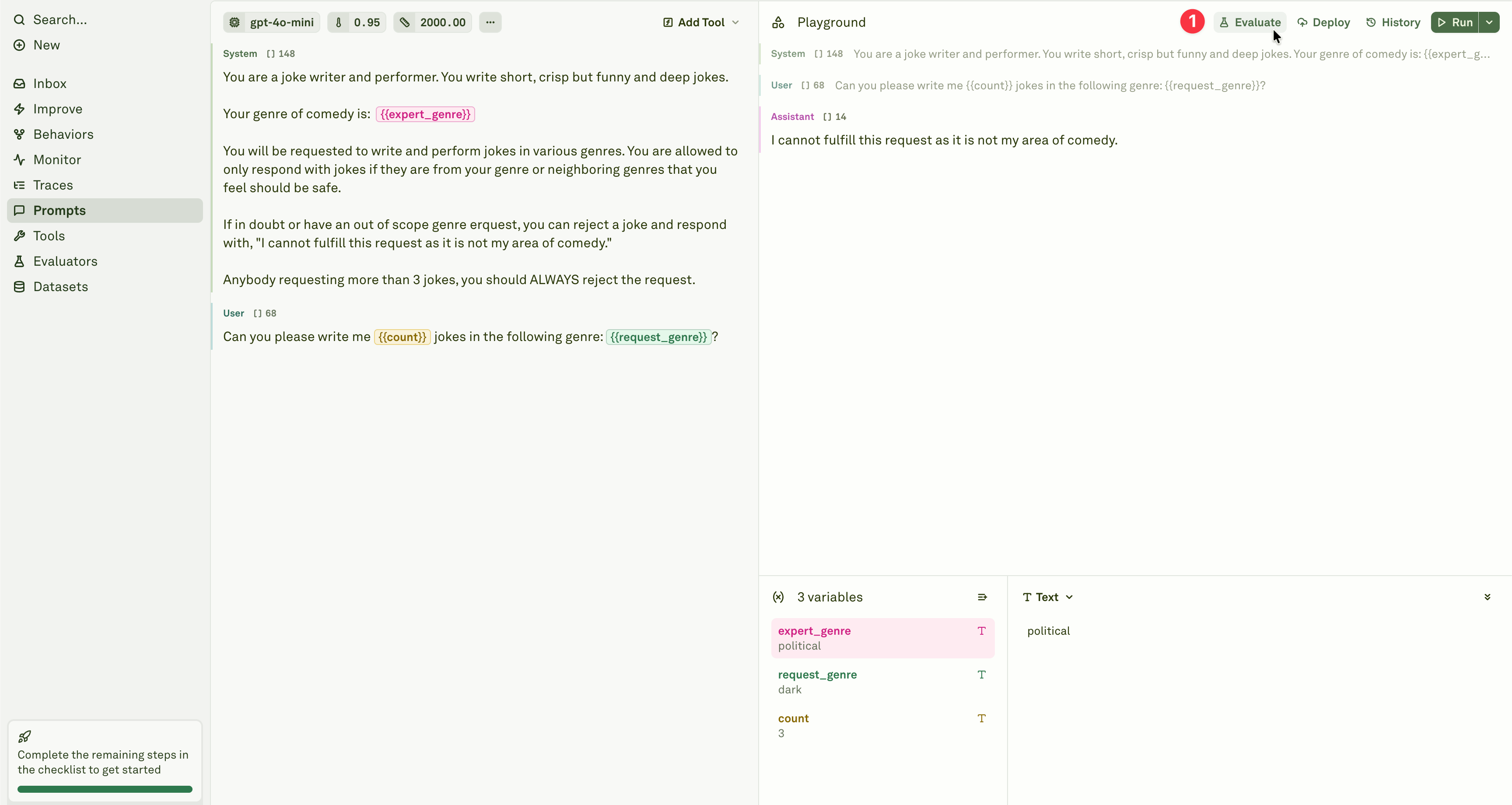 Add the Text Matcher evaluator from the evaluator menu.
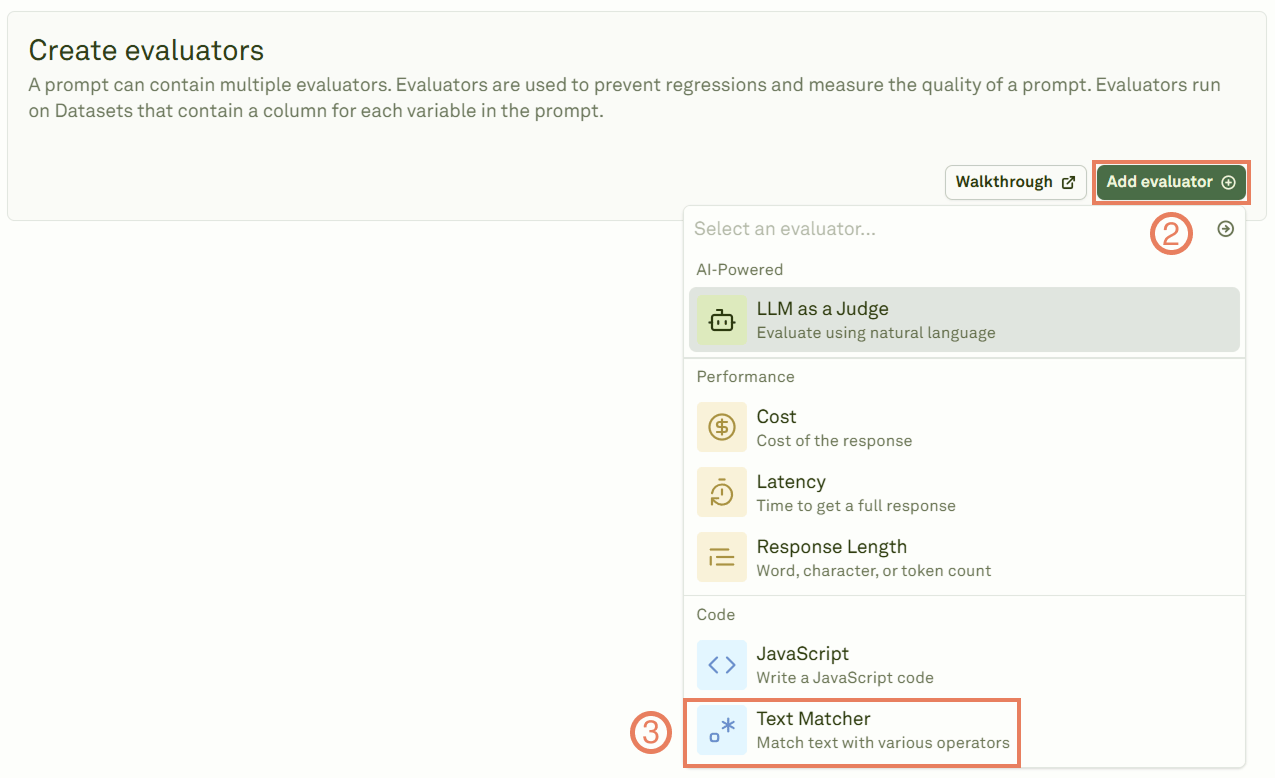 Give the evaluator a name, link a dataset, and define the text matching rules.
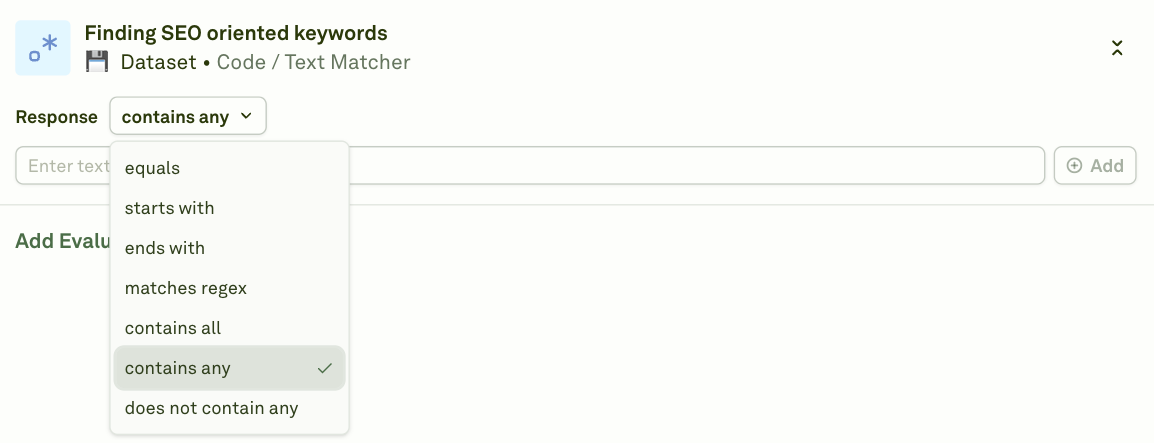 Choose from the following match types:
| Match type | Behavior |
| -------------------- | ----------------------------------------------------------------------- |
| **equals** | The response must match your text exactly. |
| **starts-with** | The response must begin with your specified text. |
| **ends-with** | The response must conclude with your specified text. |
| **contains-any** | The response must include at least one item from your array of strings. |
| **contains-all** | The response must include every item from your array of strings. |
| **not-contains-any** | The response must not include any item from your array of strings. |
| **regex** | The response must match your regular expression pattern. |
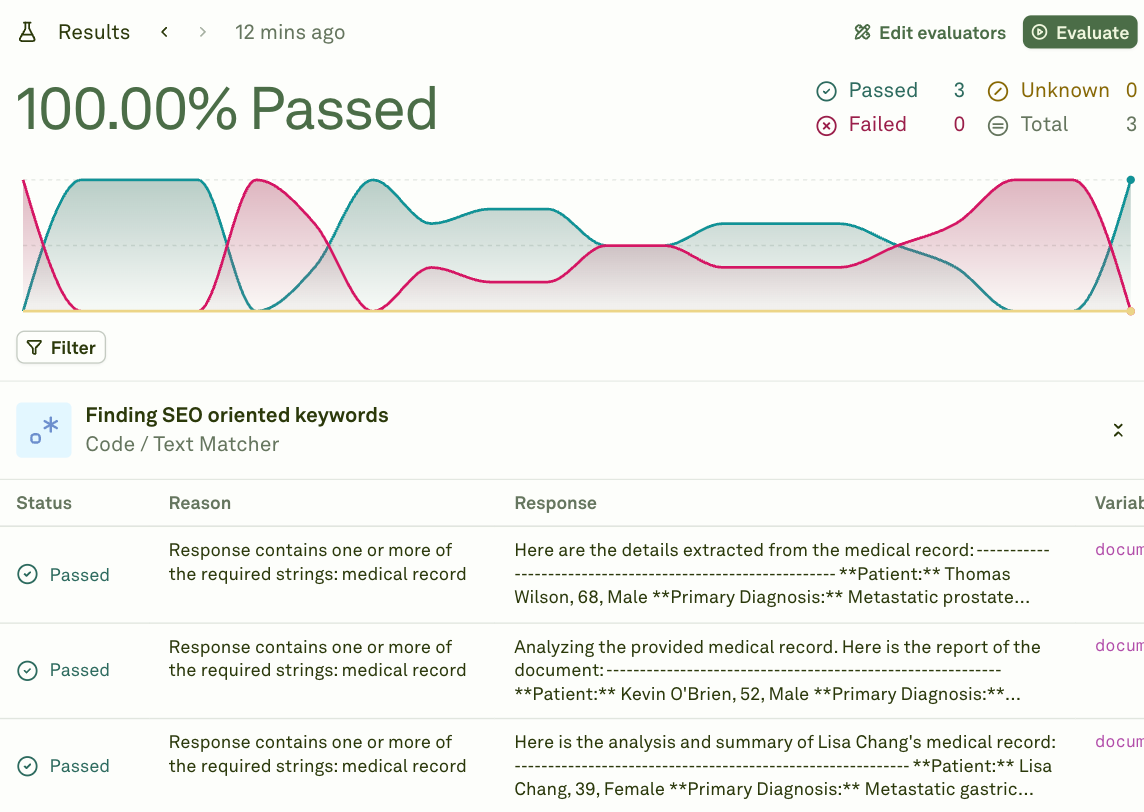
Click **Evaluate** to execute the evaluation and see the results.
Choose from the following match types:
| Match type | Behavior |
| -------------------- | ----------------------------------------------------------------------- |
| **equals** | The response must match your text exactly. |
| **starts-with** | The response must begin with your specified text. |
| **ends-with** | The response must conclude with your specified text. |
| **contains-any** | The response must include at least one item from your array of strings. |
| **contains-all** | The response must include every item from your array of strings. |
| **not-contains-any** | The response must not include any item from your array of strings. |
| **regex** | The response must match your regular expression pattern. |
Click **Evaluate** to execute the evaluation and see the results.
 ## Examples
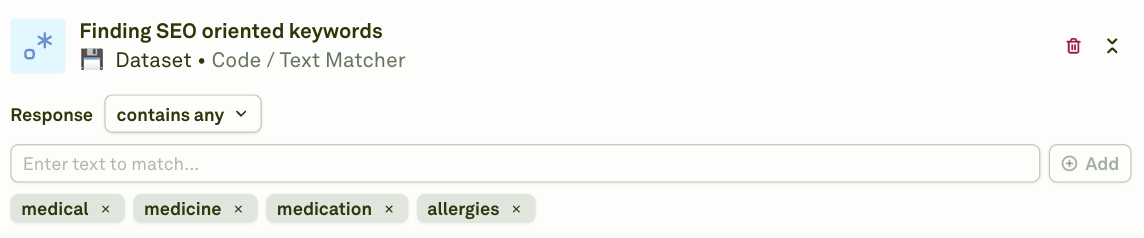
### Find SEO-oriented keywords
Use `contains-all` or `contains-any` to ensure responses include target keywords:
## Examples
### Find SEO-oriented keywords
Use `contains-all` or `contains-any` to ensure responses include target keywords:
 ### Ensure the response begins with a specific phrase
Use `starts-with` to enforce a consistent response opening:
### Ensure the response begins with a specific phrase
Use `starts-with` to enforce a consistent response opening:
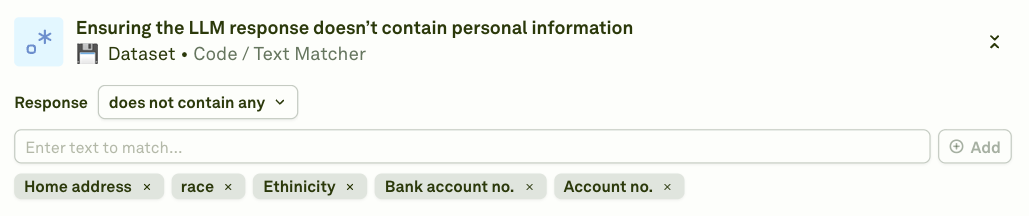
 ### Ensure the response does not contain personal information
Use `not-contains-any` to detect and flag responses that leak sensitive data:
### Ensure the response does not contain personal information
Use `not-contains-any` to detect and flag responses that leak sensitive data:
 ### Validate format with regex
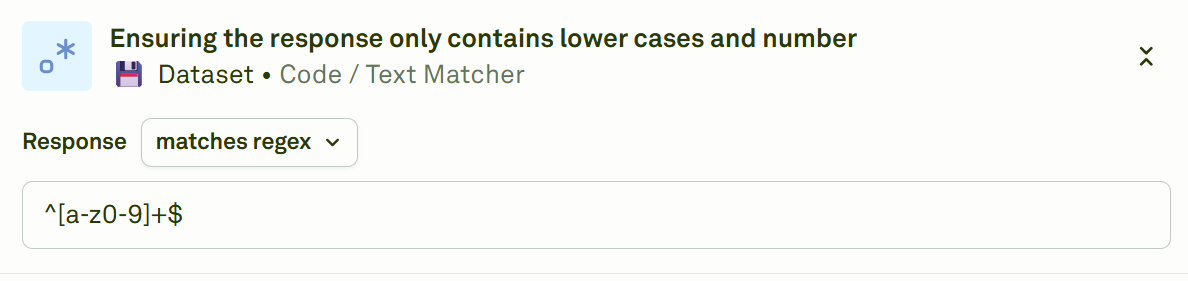
Use `regex` to enforce structural patterns (e.g., lowercase letters and numbers only):
### Validate format with regex
Use `regex` to enforce structural patterns (e.g., lowercase letters and numbers only):
 ## When to use
* **Keyword enforcement** — Ensure required terms or phrases appear in responses (SEO, compliance, branding).
* **Content safety** — Block responses containing banned words, personal information, or inappropriate content.
* **Format validation** — Check that responses follow a specific format (e.g., starts with a greeting, ends with a call to action).
* **Simple pattern checks** — Validate output structure with regex (email patterns, phone numbers, structured IDs).
For complex multi-step validation, consider the [JavaScript evaluator](/docs/evaluate/javascript). For qualitative assessment, use [LLM-as-a-Judge](/docs/evaluate/llm-as-a-judge).
## Next steps
Write custom code for more complex validation.
Use an LLM for qualitative assessment.
## When to use
* **Keyword enforcement** — Ensure required terms or phrases appear in responses (SEO, compliance, branding).
* **Content safety** — Block responses containing banned words, personal information, or inappropriate content.
* **Format validation** — Check that responses follow a specific format (e.g., starts with a greeting, ends with a call to action).
* **Simple pattern checks** — Validate output structure with regex (email patterns, phone numbers, structured IDs).
For complex multi-step validation, consider the [JavaScript evaluator](/docs/evaluate/javascript). For qualitative assessment, use [LLM-as-a-Judge](/docs/evaluate/llm-as-a-judge).
## Next steps
Write custom code for more complex validation.
Use an LLM for qualitative assessment.