> ## Documentation Index
> Fetch the complete documentation index at: https://www.adaline.ai/docs/llms.txt
> Use this file to discover all available pages before exploring further.
# Latency
> Measure and evaluate response time to ensure your prompts meet performance requirements
The Latency evaluator measures the round-trip time from Adaline to the LLM provider. Use it to enforce SLA requirements, compare performance across models, and identify prompts that are too slow for your use case.
## Set up the Latency evaluator
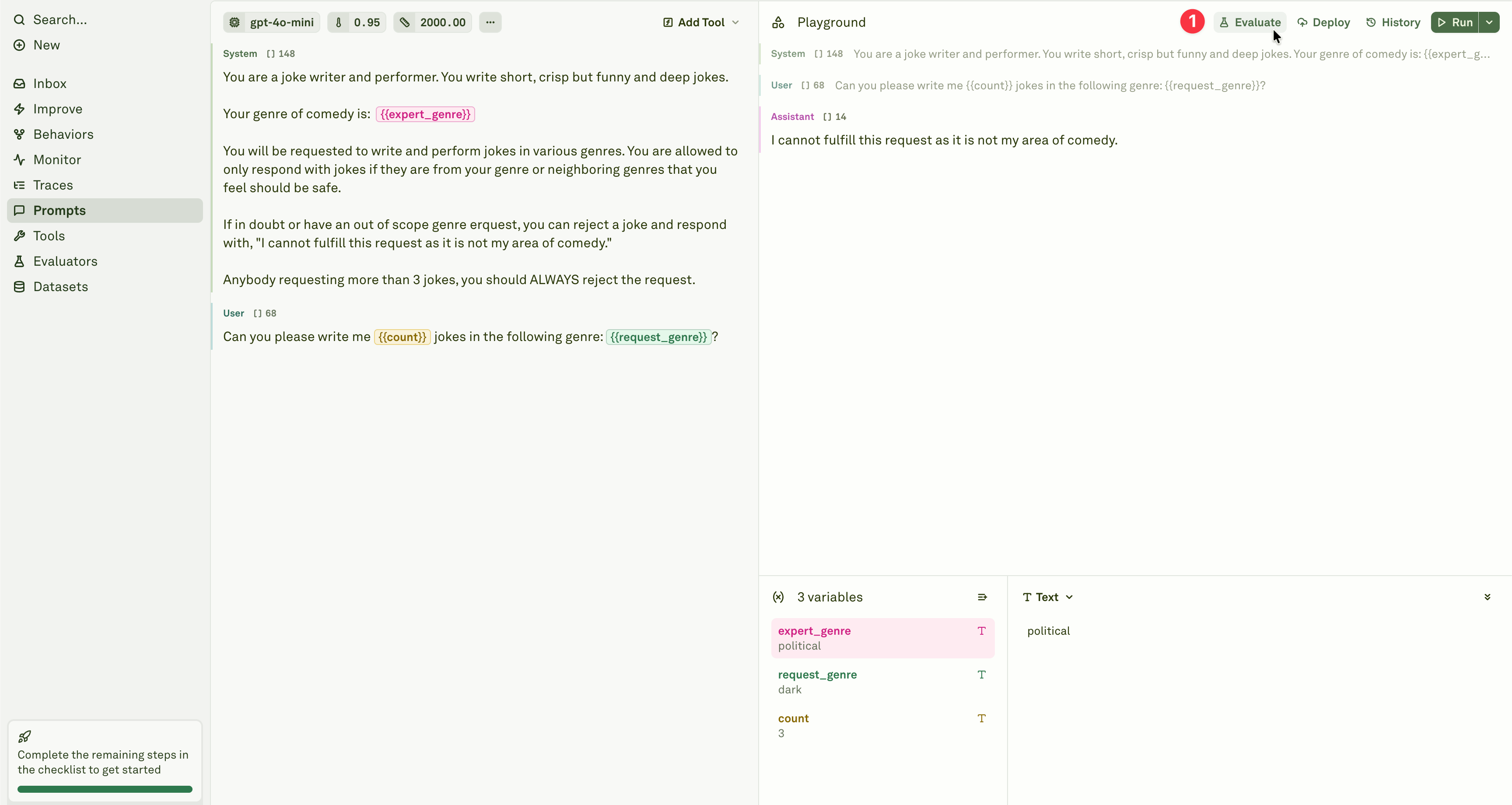
Open the prompt you want to test and click **Evaluate** in the prompt header.
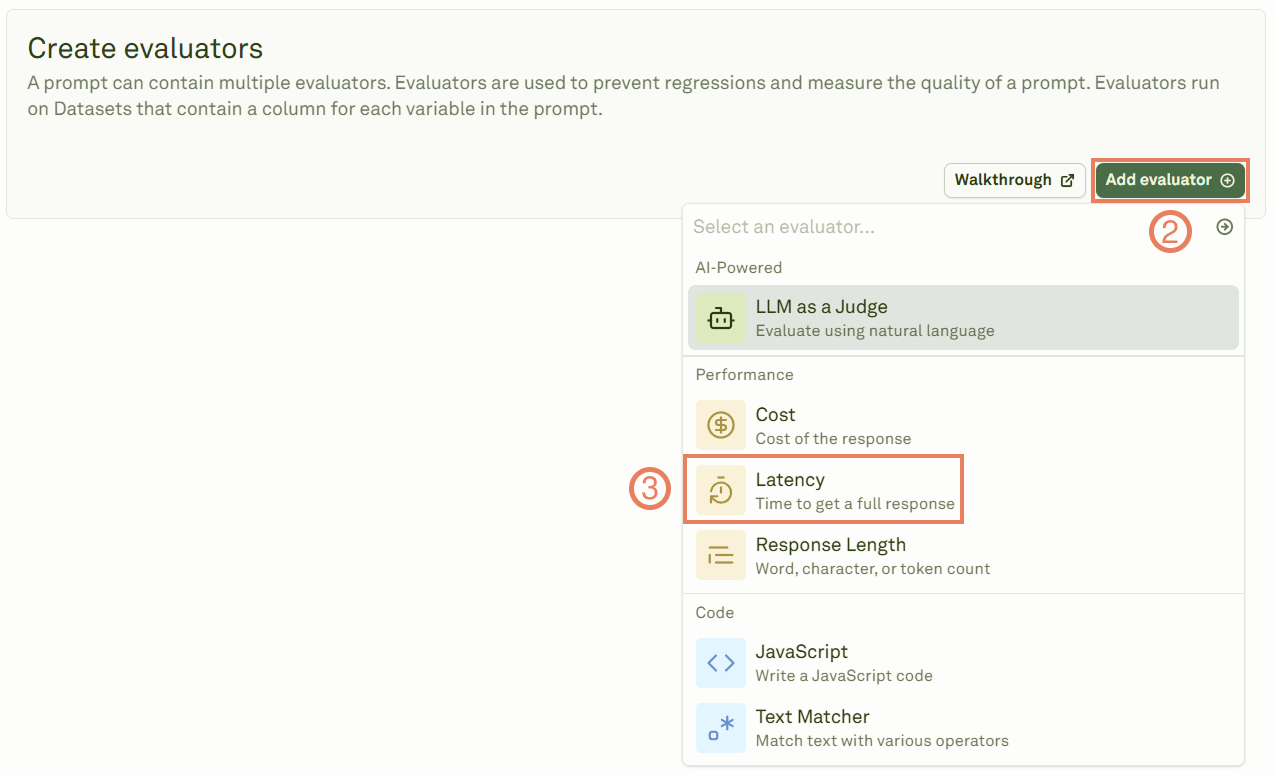
 Add the Latency evaluator from the evaluator menu.
 Give the evaluator a name, link a dataset, and set the latency threshold.
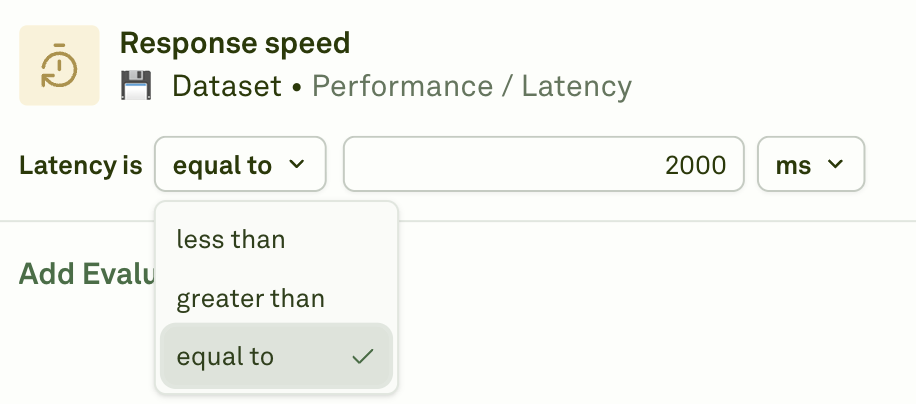 Choose from the following threshold operators:
| Operator | Behavior |
| ---------------- | ---------------------------------------------------------------------------------------------------------------------------------- |
| **less than** | The response passes if it completes faster than your threshold. Use this to enforce maximum response time. |
| **greater than** | The response passes if it takes longer than your threshold. Use this to flag suspiciously fast (potentially incomplete) responses. |
| **equal to** | The response passes if it matches your exact timing requirement. |
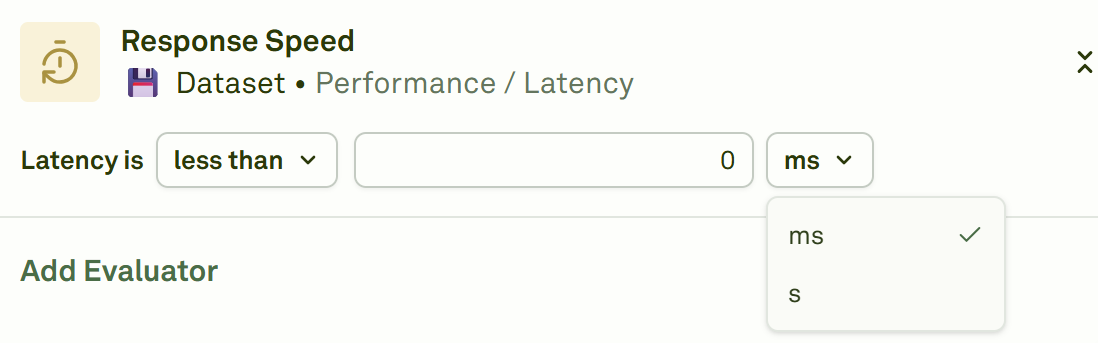
Choose the time unit for your threshold.
Choose from the following threshold operators:
| Operator | Behavior |
| ---------------- | ---------------------------------------------------------------------------------------------------------------------------------- |
| **less than** | The response passes if it completes faster than your threshold. Use this to enforce maximum response time. |
| **greater than** | The response passes if it takes longer than your threshold. Use this to flag suspiciously fast (potentially incomplete) responses. |
| **equal to** | The response passes if it matches your exact timing requirement. |
Choose the time unit for your threshold.
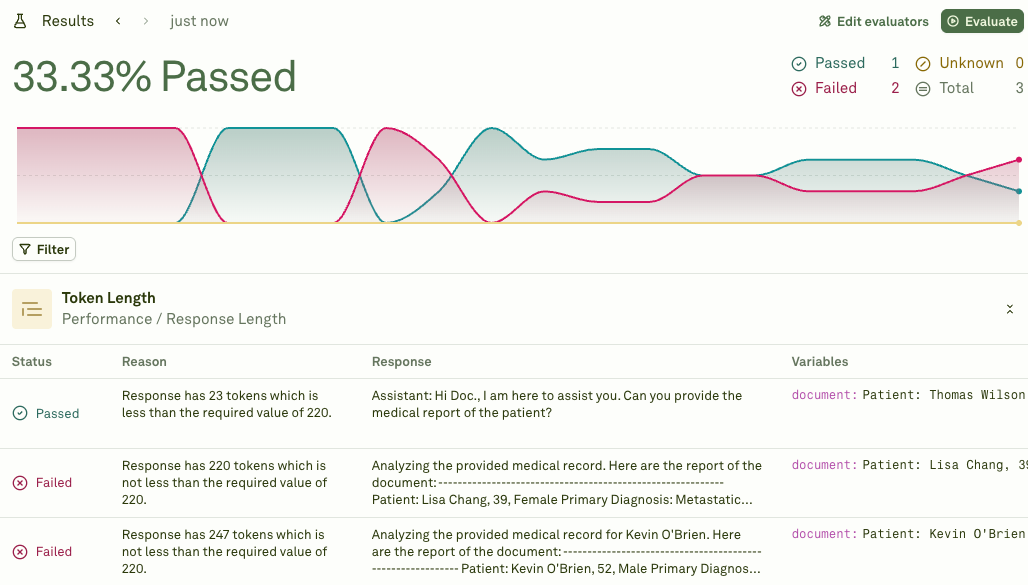
 Click **Evaluate** to execute the evaluation and see the results.
 **Prompt chaining**: When your prompt uses [prompt variables](/docs/iterate/use-other-prompts-in-prompt) (child prompts), latency is calculated based on the **slowest execution at each level** of the chain. Prompts at the same depth execute in parallel, and the total latency is the sum of the maximum latencies from each level. For example, if Prompt A calls Prompts B and C in parallel (level 1), and Prompt C calls Prompts D and E in parallel (level 2), the total latency is: `max(B, C) + max(D, E) + A's own latency`.
## When to use
* **SLA enforcement** — Set maximum response time thresholds for production-facing prompts.
* **Model comparison** — Compare response speeds across different models handling the same test cases.
* **Performance optimization** — Identify slow-performing prompts and optimize for speed (shorter prompts, fewer tokens, faster models).
* **User experience** — Ensure response times are acceptable for interactive applications.
## Next steps
Track costs alongside latency.
Control output size to improve latency.
**Prompt chaining**: When your prompt uses [prompt variables](/docs/iterate/use-other-prompts-in-prompt) (child prompts), latency is calculated based on the **slowest execution at each level** of the chain. Prompts at the same depth execute in parallel, and the total latency is the sum of the maximum latencies from each level. For example, if Prompt A calls Prompts B and C in parallel (level 1), and Prompt C calls Prompts D and E in parallel (level 2), the total latency is: `max(B, C) + max(D, E) + A's own latency`.
## When to use
* **SLA enforcement** — Set maximum response time thresholds for production-facing prompts.
* **Model comparison** — Compare response speeds across different models handling the same test cases.
* **Performance optimization** — Identify slow-performing prompts and optimize for speed (shorter prompts, fewer tokens, faster models).
* **User experience** — Ensure response times are acceptable for interactive applications.
## Next steps
Track costs alongside latency.
Control output size to improve latency.